How to Create a 90-Second B2B Explainer Video

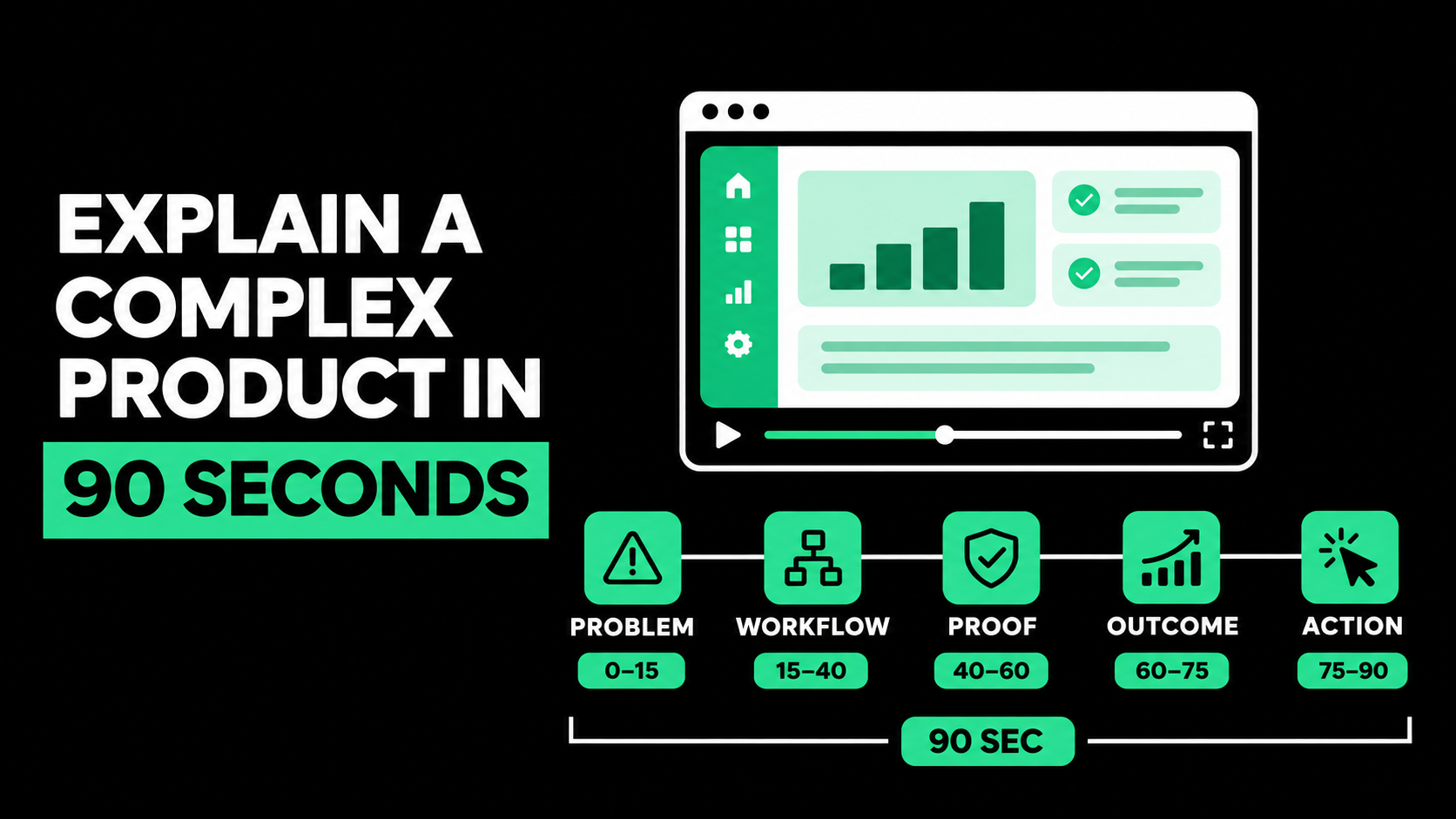
B2B Explainer Video: How to Explain a Complex Product in 90 Seconds
A strong B2B explainer video does not explain everything about a complex product. In 90 seconds, it should help one audience understand one important problem, how the product changes the situation, why the claim is credible, and what to do next.
The key is selection, not compression. A sales presentation squeezed into 90 seconds creates rushed narration, crowded screens, and forgettable features. Choose the clearest path from the buyer's problem to a meaningful outcome. Let visuals show the workflow while narration explains why it matters.
This approach gives buyers enough understanding to continue evaluating the product. The video opens the next conversation rather than attempting to replace it.
Why Complex B2B Products Are Hard to Explain
Many B2B products operate inside processes buyers cannot see. Their value may depend on data movement, user roles, automation, security controls, or operational changes.
Product teams understand these details; buyers do not. An executive wants business impact, a department leader wants the improved workflow, and IT wants evidence of technical fit.
When every stakeholder adds a feature, technical distinction, or use case, the video loses its center.
The solution is not to remove all detail and rely on broad promises. It is to choose the detail that makes the main promise believable. A useful business explainer video simplifies the path through the information without making the product itself sound simplistic.
What Can a 90-Second Video Realistically Accomplish?
At a measured speaking pace, 90 seconds usually gives you roughly 195 to 225 spoken words. The exact amount depends on pauses, terminology, speaker style, and how much room the visuals need.
That is enough to establish relevance, show one workflow, provide proof, and direct the viewer forward. It is not enough for company history, a platform tour, several audiences, ten features, and every integration.
Wistia's 2026 research, based on more than 13 million videos, recommends matching length to the viewer's goal and placement. Shorter formats suit focused explainers, product overviews, and feature walkthroughs. A concise message can earn the next step without demanding a long commitment.
Use a longer format when buyers need technical depth. A short overview can lead to a detailed demo, guide, or sales conversation.
Start With One Audience and One Decision
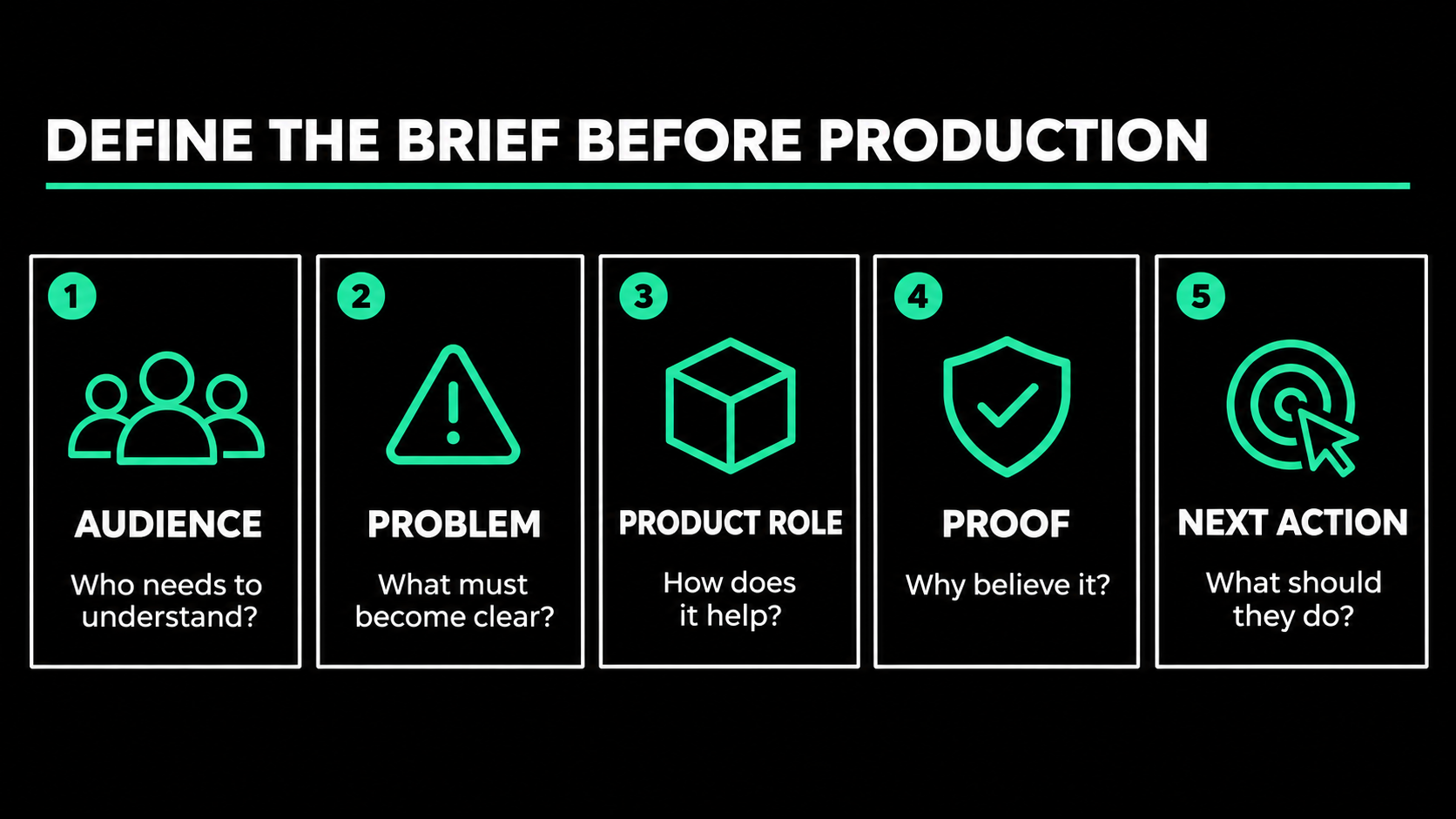
Before writing, define the primary role, company situation, awareness level, and problem. “B2B decision-makers” is too broad.
For example:
Operations leaders at multi-location logistics companies who rely on spreadsheets to manage shipment exceptions and need to evaluate a more scalable approach.
Next, decide what the viewer should do after watching, such as view a demo, share the video with IT, read customer proof, or book a call.
Complete this sentence:
This video will help [specific audience] understand that [one central idea], so they feel ready to [one next action].
Use this sentence to filter every line and visual. Details that do not support the central idea or next action belong elsewhere.
Build the Story Around One Useful Change
Complex videos often follow the company's hierarchy: mission, architecture, modules, features, and benefits. Buyers rarely need that sequence.
They need to understand the change the product creates. A practical structure moves through five questions:
- What situation does the viewer recognize?
- Why is the current approach difficult or risky?
- What does the product change?
- What proof makes the change credible?
- What should the viewer do next?
Introduce the product when its role becomes relevant. A long logo animation wastes time before viewers know why the video matters.
A 90-Second B2B Explainer Video Structure
The timing below is a planning guide, not a rule. Adjust it to the product and placement while protecting the overall progression.
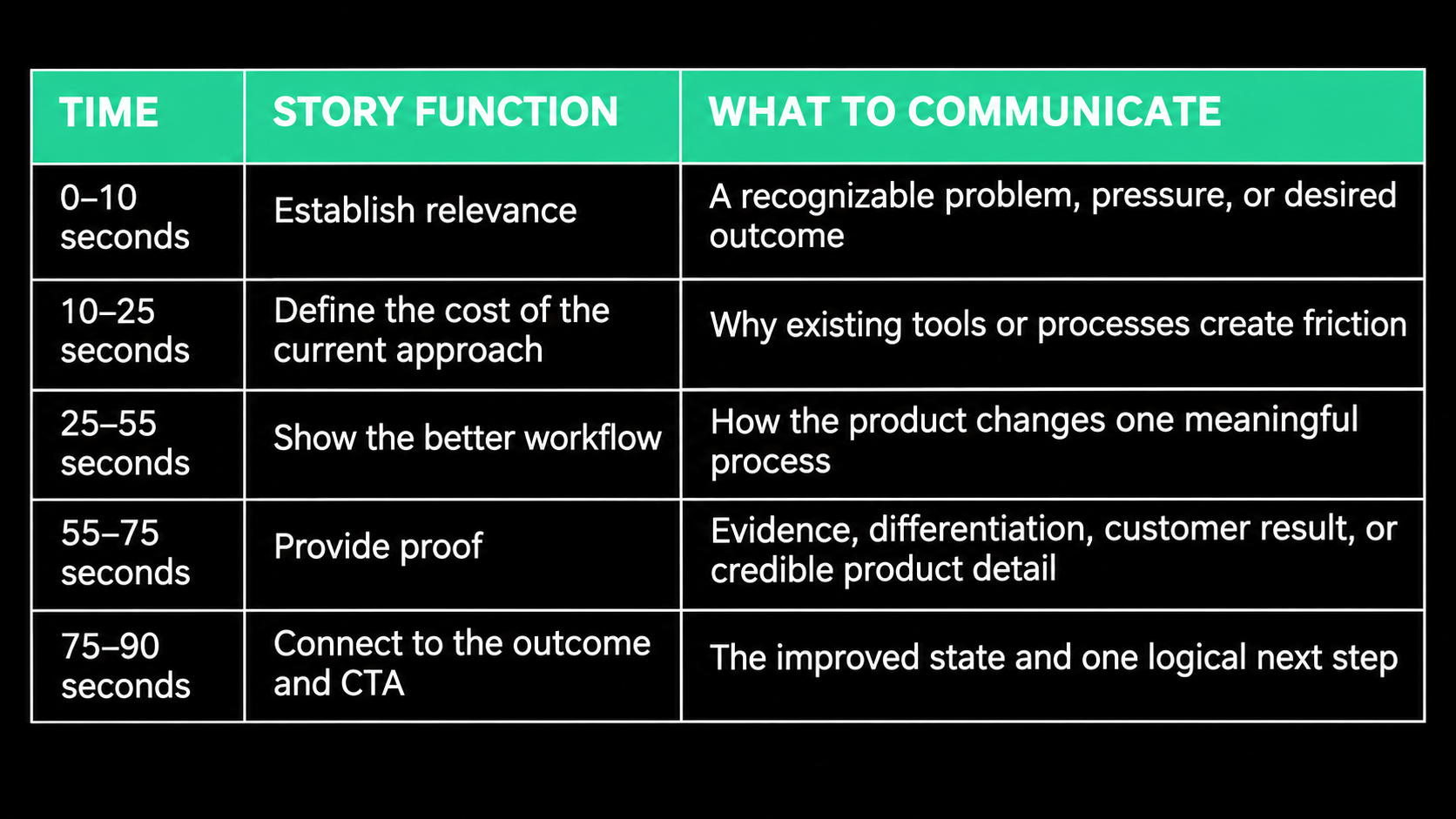
Give the middle the most time because it shows how the product creates value. Do not spend half the video on the problem and rush the solution.
Explain the Workflow, Not the Feature Inventory
A feature list asks the viewer to connect the dots. A workflow shows how the product fits into real work.
Instead of listing automated routing, alerts, dashboards, and analytics, show an exception being detected, assigned, resolved, and reported. The viewer sees how the features work together.
Use a simple workflow:
Trigger → Product action → User decision → Business outcome
This works across technical products. Cybersecurity software might detect unusual access, prioritize risk, guide the analyst, and document the response. Finance software might receive an invoice, flag an exception, route approval, and update the record.
One representative workflow is more persuasive than six disconnected capabilities. Additional use cases can become separate videos.
Write the Script for the Ear
How to create a B2B explainer video starts with a script that sounds natural when spoken. Brochure language usually feels formal and dense in narration.
Use direct sentences, active verbs, and familiar words. Read the draft aloud. A sentence that is difficult to say is usually difficult to understand.
Compare these versions:
Feature-led: “Our unified platform provides real-time, cross-functional visibility and automated exception orchestration.”
Workflow-led: “When a shipment falls behind, your team sees the issue, assigns an owner, and acts before the delay reaches the customer.”
The second version makes the product easier to picture without removing the underlying capability.
Keep necessary technical terms, but explain their relevance. Specialized buyers need a clear link between technical detail and business impact, not a metaphor for everything.
Separate What the Viewer Hears From What They See
A script for B2B video production should have separate audio and visual columns.
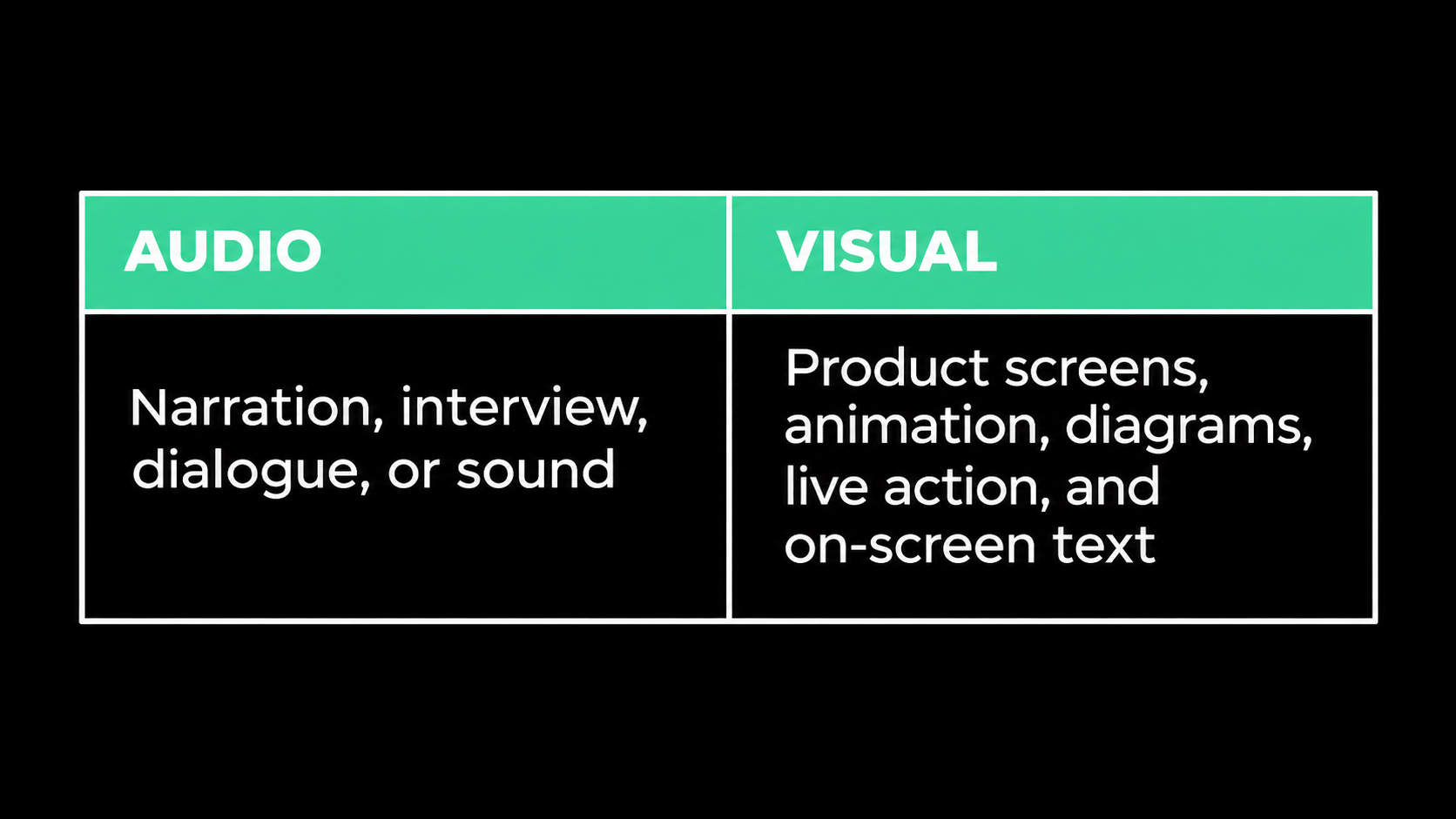
Do not use the narration to describe every click already visible on screen. Let the visual show what happens while the audio explains why it matters.
If animation shows data moving from several tools into one dashboard, narration can explain that teams no longer reconcile separate reports. Audio adds meaning while visuals provide evidence.
Use on-screen text for essential labels, proof, and conclusions, not every spoken sentence.
Choose the Right Visual Treatment
Choose the visual style based on what the buyer must understand.
Real product screens
Use real interface footage when accuracy matters. Crop around the action, enlarge important areas, and remove private data.
Animation and diagrams
A B2B animated explainer video helps show invisible systems, automation, data movement, or workflows that cannot be filmed. It should clarify relationships, not add decorative icons.
Hybrid treatment
Many products benefit from a hybrid: animation explains the system, while real screens prove the workflow. Highlights and zooms direct attention.
Stylized screens should preserve the product's real logic and avoid implying unsupported automation, integrations, or results.

Use Proof Without Interrupting the Story
B2B buyers expect polished claims. Proof is what turns a simple explanation into a credible one.
Match proof to the objection. Show workflow for usability, integration for implementation, approved results for impact, or accurate credentials for compliance.
Choose one proof point that directly supports the central promise. Approve its source, context, and wording before production.
LinkedIn's research says video can make brands easier to understand, share, and evaluate across buying groups. Make proof simple enough for a champion to repeat internally.
A Worked 90-Second Example
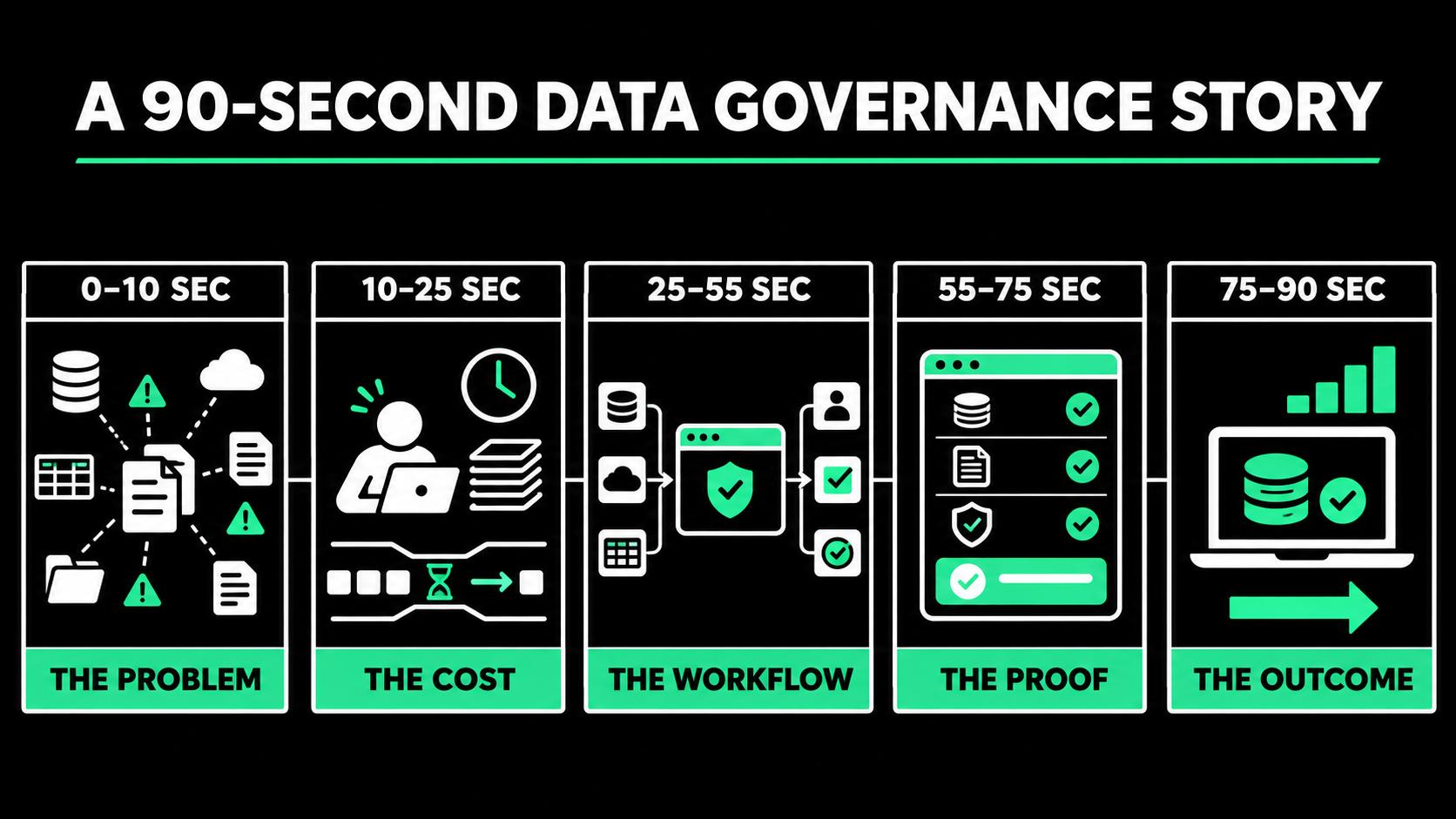
Consider a data governance platform that connects data sources, identifies policy gaps, assigns remediation, and maintains an audit trail.
A weak script would define the category, introduce four modules, list integrations, mention AI, describe dashboards, and promise transformation.
A focused version could follow this story:
Situation: Data owners use different spreadsheets and tools to track policy requirements.
Tension: When evidence is incomplete, governance teams spend days searching for answers and cannot see which gaps create the greatest risk.
Product role: The platform connects evidence to each requirement, flags missing items, and routes the next action to the right owner.
Proof: The viewer sees a real requirement move from flagged to assigned to resolved, with the history preserved.
Outcome and action: Governance leaders get a current view of risk and a clearer path to audit readiness. The viewer is invited to watch the detailed workflow demo.
This gives the buyer a mental model that makes deeper evaluation easier.
Protect Accuracy During Review
Complex products require product, technical, legal, and sales review. Without structure, each reviewer may add detail until the focus disappears.
Name one final owner. Experts verify claims, workflow, terminology, interface behavior, and limitations. Marketing protects the audience, message, and pacing.
Approve the brief, message, script, storyboard, visual style, and final edit in that order. Late changes cost more after production begins.
Time a table read before production. If the narration only fits when rushed, shorten it.
Design the Video for Its Placement
Explainer videos for B2B companies perform different jobs depending on where they appear. A homepage viewer may need a broad explanation. A product-page viewer may expect a focused workflow. A paid social audience needs a faster opening, while a sales prospect may accept more detail.
Define the primary placement before production. Plan format, captions, thumbnail, CTA, hosting, and page context. W3C guidance says captions should include speech and meaningful non-speech audio. Review automatic captions for technical terms and names.
A 90-second master may produce a campaign edit, feature clips, a vertical version, a silent event loop, a sales segment, GIFs, and stills. Self-contained lines and clean pauses make these edits easier.
Measure Whether the Explanation Helped
The right measure depends on the video's job. Useful signals may include play rate, watch time, completion, click-through rate, product-page engagement, demo views, meeting requests, sales usage, and opportunity influence.
A high completion rate does not prove understanding. Review sales feedback, discovery questions, and next actions. If buyers still misunderstand the idea, revise the explanation.
A 90-second video should make the next step easier. That is a stronger standard than asking whether it covered every capability.
Make One Important Idea Clear
The best B2B explainer videos are selective. They identify the audience, focus on one decision, show a meaningful workflow, support the promise with relevant proof, and connect the viewer to a logical next action.
Complexity does not require crowded narration. It requires a clear structure and careful choices about what the viewer needs now versus what can wait for the next asset.
If the audience can explain the product's role in one or two sentences after watching, the video has done its first job. The detailed demo, technical review, customer story, and sales conversation can take the understanding further.
Need to explain a complex B2B product without turning the video into a rushed feature list?
Spacebar Visuals helps B2B teams shape the message, script, visual approach, production, and repurposed assets around a specific audience and business objective.
Book a video strategy call to discuss your product, buyers, workflow, and production options.
Let’s build your product story together


View Related Resources
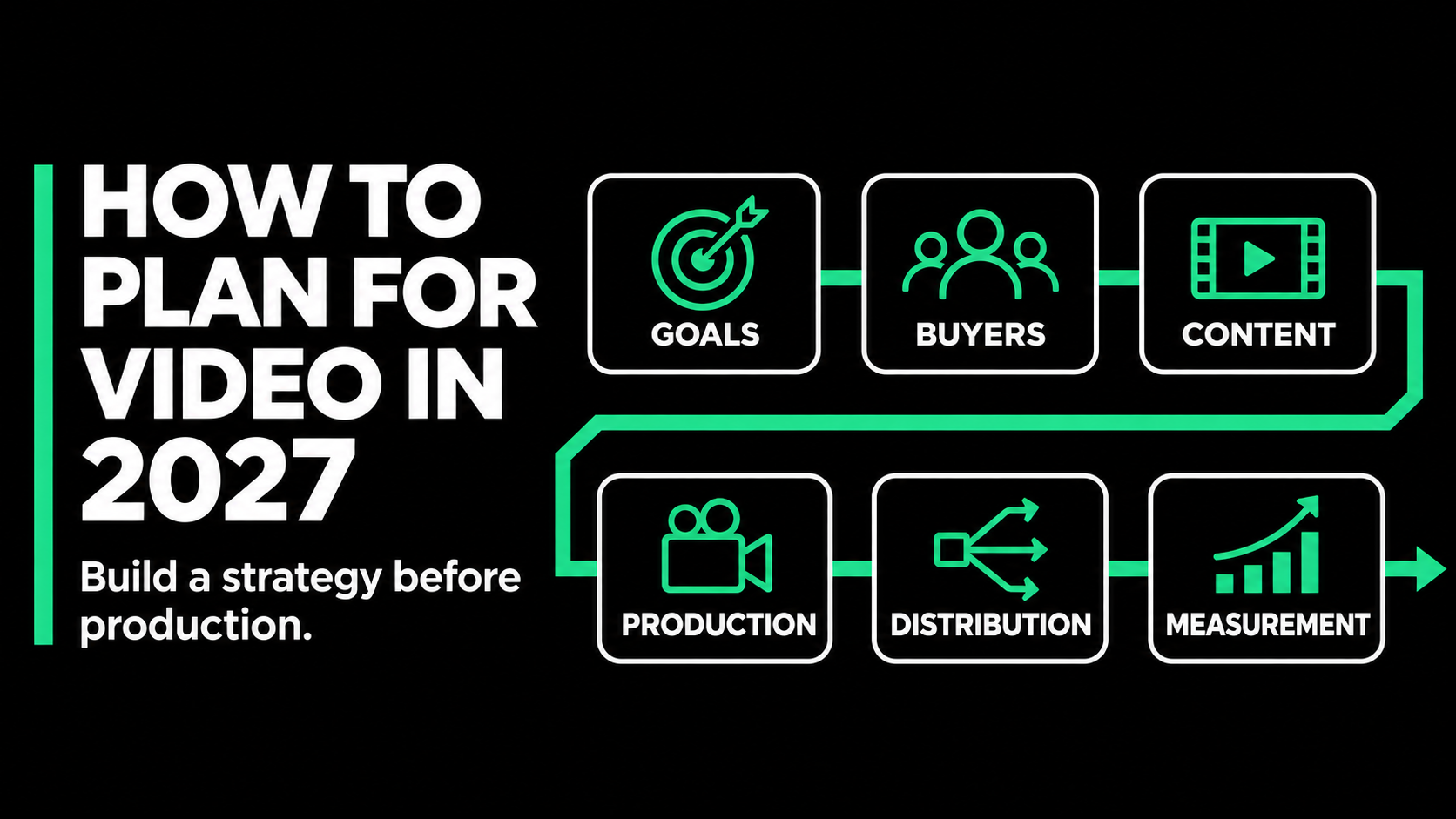
B2B Video Marketing Strategy: How to Plan for 2027

In House vs Video Production Agency: Which Is Right for Your B2B Team?
