B2B Video Marketing: What to Create at Each Funnel Stage

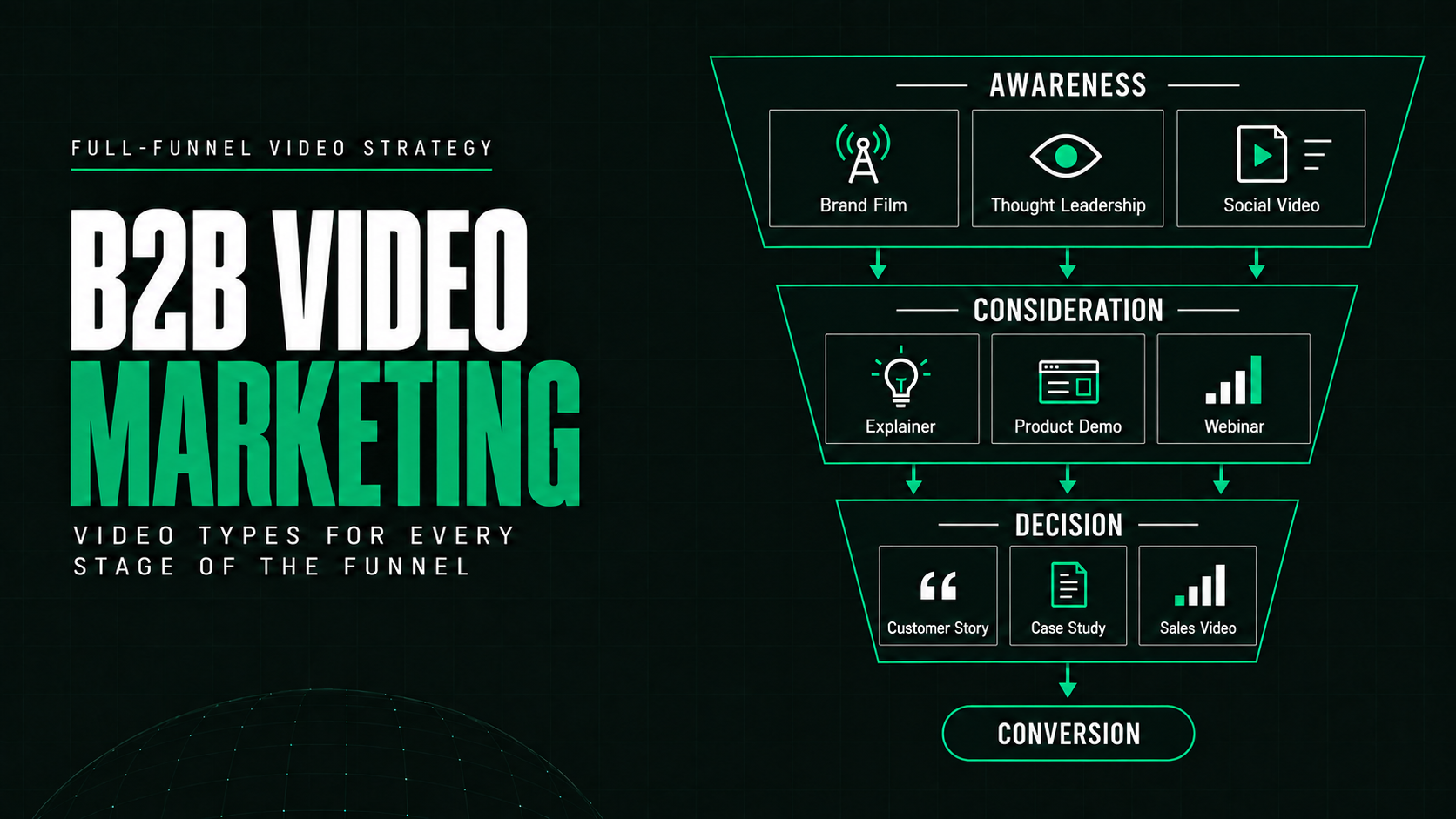
B2B Video Marketing: What to Create at Each Funnel Stage
Effective B2B video marketing uses different types of videos for different stages of the buyer journey.
At the top of the funnel, video should help the right audience recognize a problem or remember your brand. In the middle, it should explain your approach, product, and expertise. At the bottom, it should provide evidence, reduce risk, and help buyers make a decision.
The mistake is expecting one company overview video to do all three jobs.
B2B buying often involves long sales cycles, technical products, and several decision-makers. A prospect discovering your company needs different information from a buyer comparing vendors or preparing an internal business case.
A strong B2B video marketing strategy gives each audience the right content for its current question, then connects those videos into a clear path toward action.
What Is Full-Funnel B2B Video Marketing?
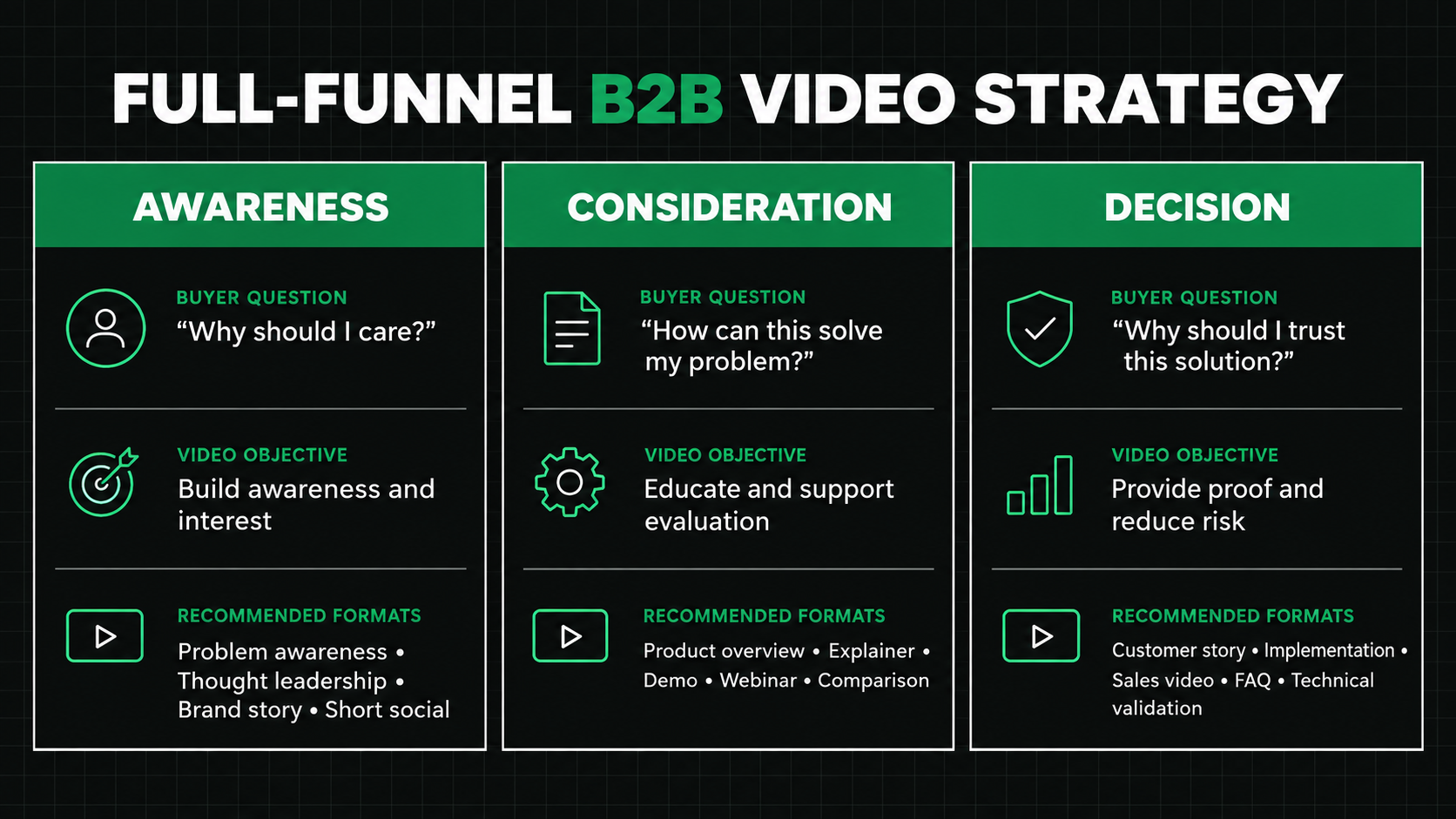
Full-funnel video marketing is the planned use of video across awareness, consideration, and decision stages.
Each stage answers a different buyer question:
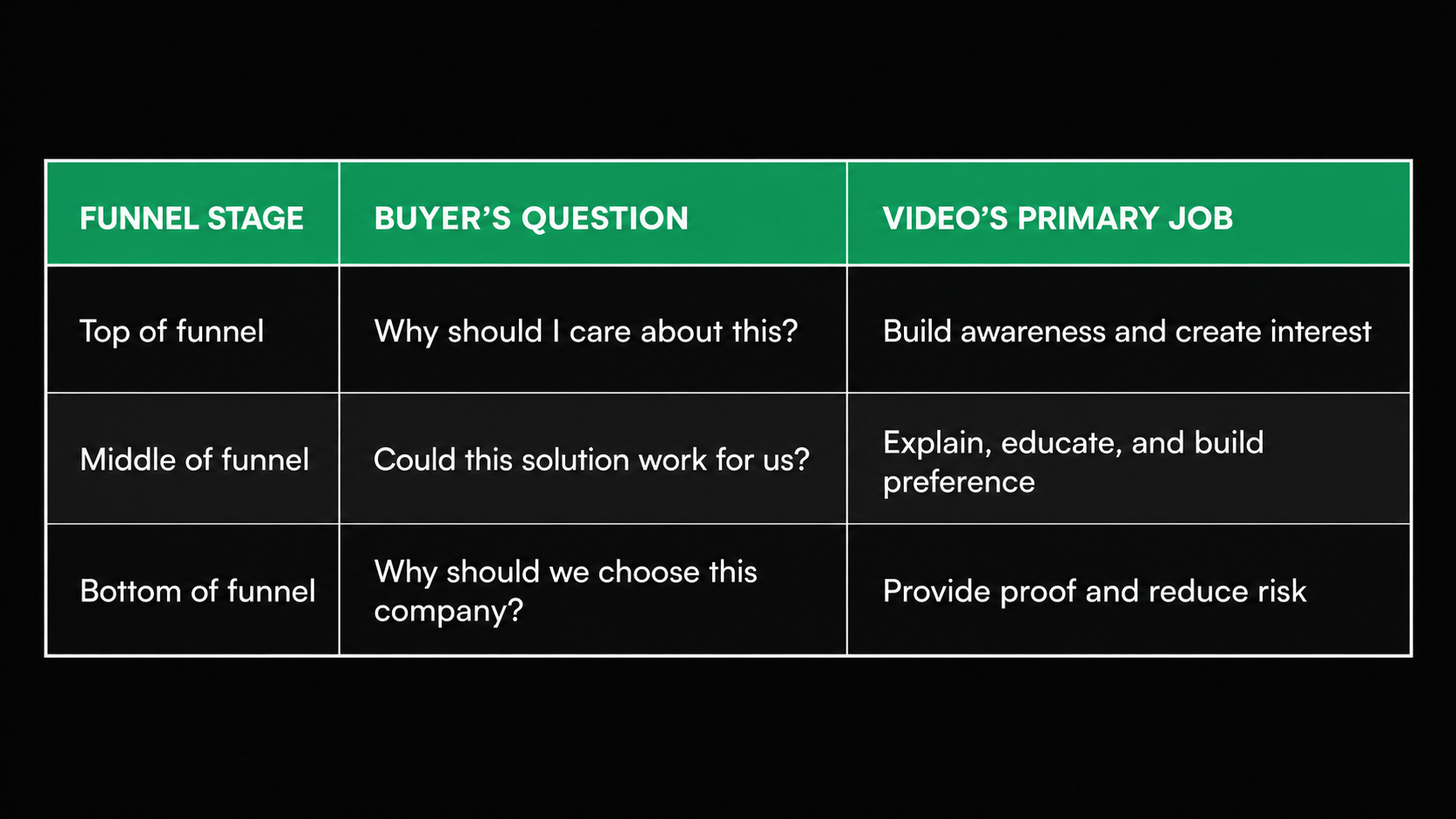
This structure does not mean every buyer follows a perfectly ordered path. Someone may watch a customer story before a product overview, return to a webinar weeks later, and share a short explainer with colleagues.
The funnel is still useful because it forces marketers to define the purpose of each video instead of creating content without a clear role.
LinkedIn’s 2025 B2B Marketing Benchmark found that 78% of surveyed B2B marketers were already using video. It also recommended mapping video to the buyer journey, using short social and thought-leadership content at the top, customer proof in the middle, and detailed product or ROI content near the decision stage.
Top-of-Funnel Videos: Build Awareness and Relevance
Top-of-funnel buyers may not know your company or understand that they have a problem you can solve.

Your first objective is not to explain every feature. It is to make the audience recognize a relevant challenge, opportunity, or point of view.
1. Problem-awareness videos
A problem-awareness video gives language to an issue your audience already experiences.
For example, a software company could create a 45-second video showing how manual reporting creates delays, conflicting information, and unnecessary follow-up work.
The video does not need to introduce the entire platform. Its job is to make the right viewers think, “We deal with this too.”
Use problem-awareness videos in:
- Paid social campaigns
- Organic LinkedIn posts
- Campaign landing pages
- Email introductions
- Event promotions
A focused problem creates a natural path to deeper educational or product content.
2. Thought-leadership videos
Thought-leadership video presents a useful perspective on an industry change, buyer challenge, or common assumption.
This might include:
- An executive responding to a regulatory change
- A product leader explaining an emerging trend
- A technical expert correcting a common misconception
- A short interview with an industry specialist
- Commentary based on original company research
Strong thought leadership does not simply repeat familiar advice. It should help the audience interpret an issue or make a better decision.
Keep the message focused on one idea. A short clip can introduce the argument, while a longer interview, webinar, or article provides more detail.
3. Brand-story videos
A brand video explains what the company believes, why it exists, or what it wants to change.
This format can create emotional relevance before a buyer is ready to study product features. However, broad claims about innovation, partnership, or transformation are not enough.
A useful brand story should connect the company’s position to a recognizable customer need.
For example, a cybersecurity company might focus on helping organizations respond with confidence when systems are under pressure. That is more meaningful than describing itself as a “leading provider of innovative solutions.”
4. Short social videos
Short social videos can include quick insights, event clips, customer observations, product teasers, and reactions to industry news.
They should communicate the central point early because social viewers have not actively requested the content.
Wistia’s analysis of more than 13 million videos found that shorter videos generally achieve higher engagement rates. However, longer educational content can still create more total viewing time and stronger action from committed viewers.
The lesson is not to make every video short. It is to match the length to the viewer’s intent.
Middle-of-Funnel Videos: Explain and Build Preference
Middle-of-funnel prospects understand the problem and are actively exploring possible approaches.
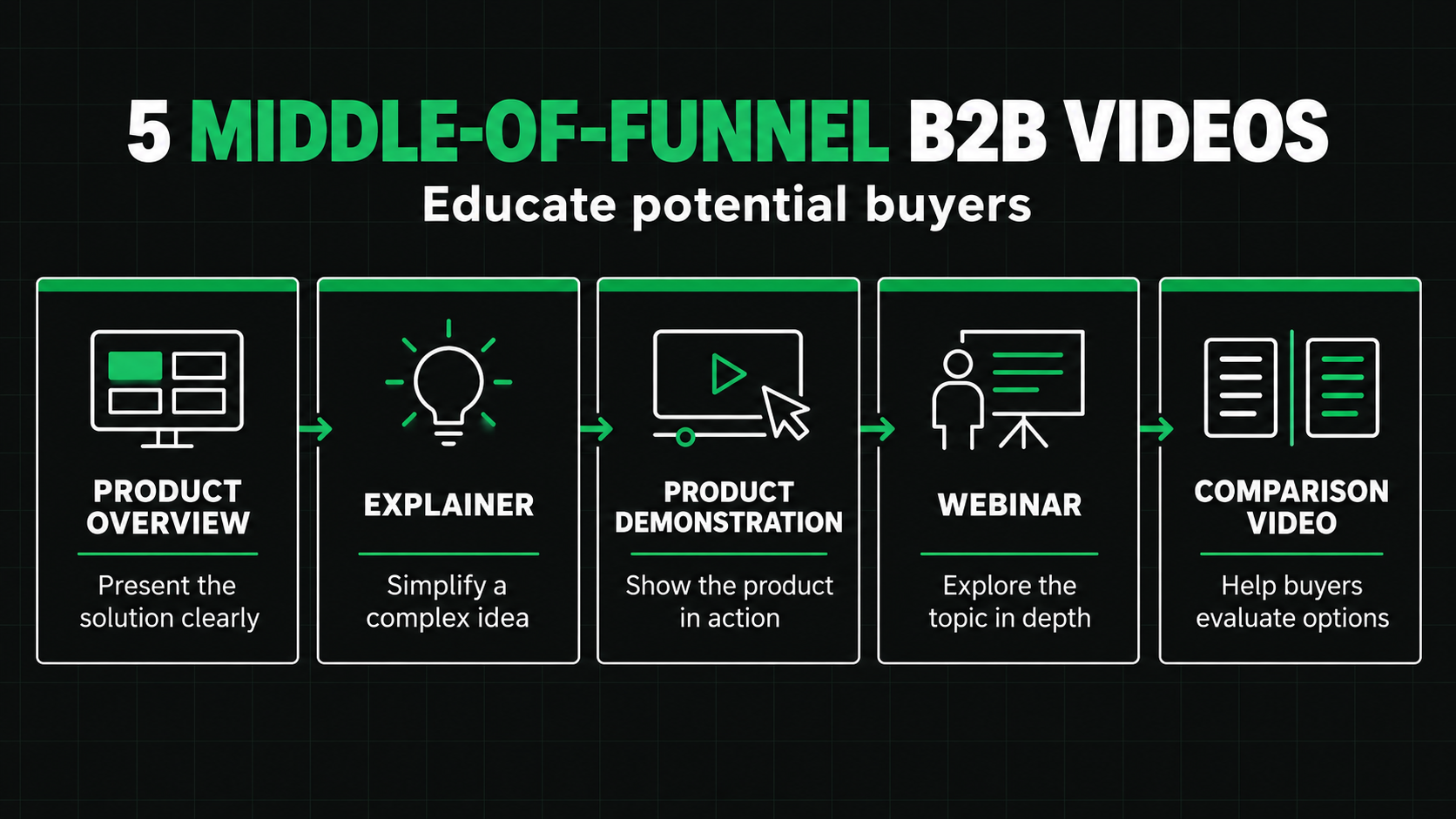
At this stage, your B2B video content marketing should answer practical questions about how the solution works, who it serves, and why its approach is different.
5. Product overview videos
A product overview explains the product’s role without covering every screen or feature.
A strong overview usually answers:
- Who is the product for?
- What problem does it solve?
- How does it approach the problem?
- What outcome does it help create?
- What should the viewer explore next?
For example, a platform serving revenue teams might show how marketing, sales, and customer success access one shared view of the customer.
The story should focus on the workflow and outcome, not a tour of every menu.
Product overview videos work well on homepages, product pages, campaign landing pages, sales emails, and presentations.
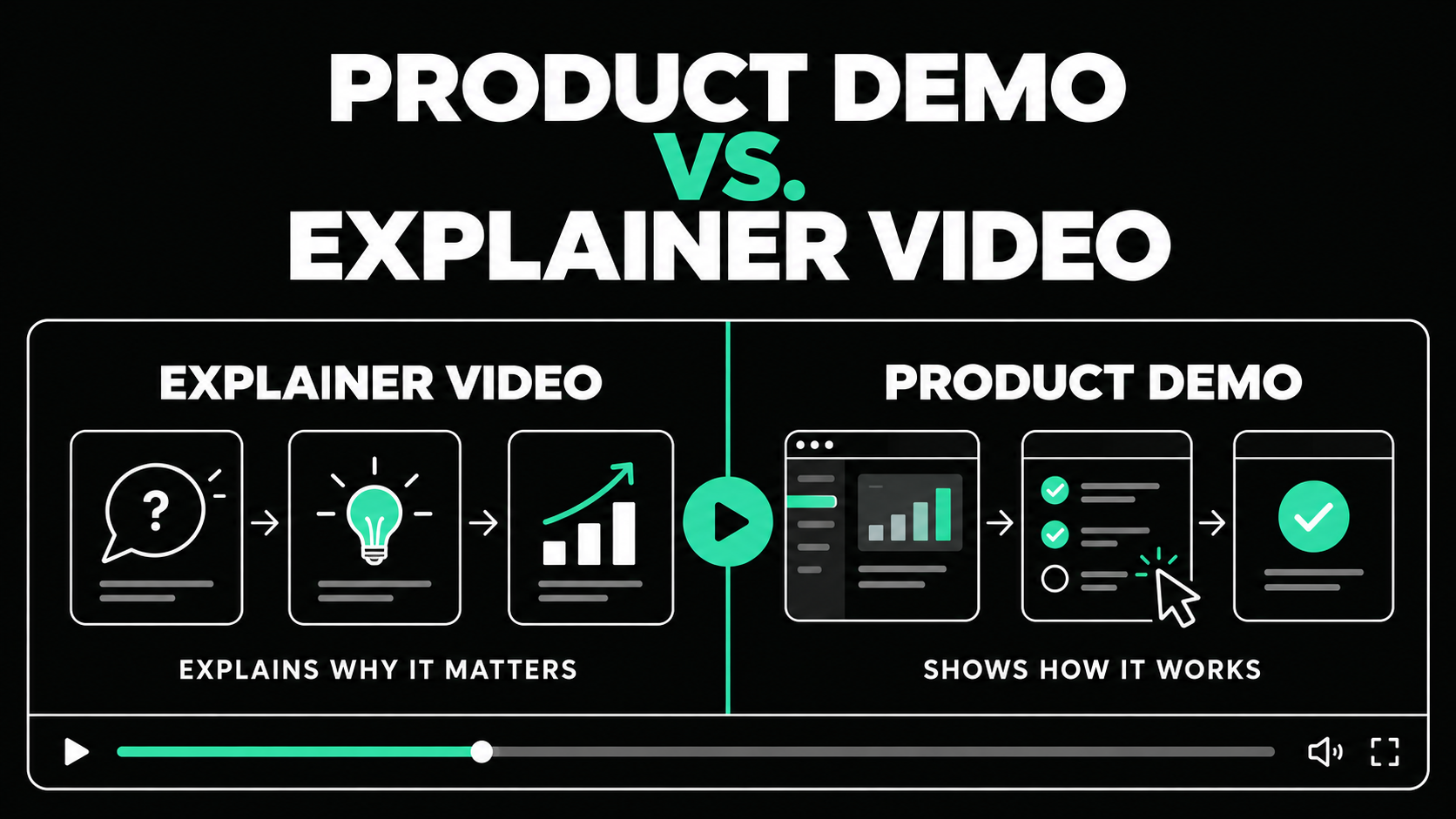
6. Explainer videos
Explainer videos help audiences understand a process, service, or technical idea that may be difficult to communicate through text alone.
They can use:
- 2D animation
- Motion graphics
- Live action
- Interface animation
- Diagrams
- A combination of these formats
Animation is especially useful when the product is abstract, not visually interesting, or still being developed. It allows the team to simplify a workflow and direct attention to the most important information.
The script should avoid trying to explain everything. One video should usually focus on one audience, one problem, and one main idea.
7. Product demonstration videos
A demonstration shows the product performing a real task.
Unlike a broad overview, a demo can go deeper into specific workflows, features, or user roles. It should still be structured around a buyer need rather than the order of items in the product menu.
For example:
- How a finance team creates an approval workflow
- How an IT manager investigates an alert
- How a marketing team builds an audience segment
- How an operations team generates a compliance record
Short feature demonstrations can support product pages, sales outreach, knowledge centers, and post-webinar follow-up.
Longer demonstrations are useful for buyers who are actively evaluating the product and want more detail before speaking with sales.
8. Educational videos and webinars
Educational videos help buyers understand a subject while showing that your company has relevant expertise.
Possible formats include:
- How-to videos
- Expert interviews
- Recorded webinars
- Industry briefings
- Workshops
- Video series
- Question-and-answer sessions
Education builds trust because the content provides value before asking for a purchase.
Wistia’s 2026 research found that educational and tutorial videos were among the formats that held viewer attention most effectively. Webinars also remained comparatively strong at longer runtimes.
A webinar can also become several smaller assets. The recording might produce short expert clips, a highlights video, a written article, email content, and sales follow-up material.
9. Comparison and approach videos
Some buyers are not only comparing vendors. They may also be comparing different ways to solve the problem.
A comparison video can explain:
- Manual process versus automation
- Internal production versus an agency
- Point solution versus integrated platform
- Traditional approach versus a newer method
- Product tier or service option differences
The goal is to help buyers evaluate trade-offs honestly. Avoid creating a comparison where your preferred choice wins every category without qualification.
A balanced explanation builds more credibility and helps prospects determine whether they are genuinely a good fit.
Bottom-of-Funnel Videos: Provide Proof and Reduce Risk
Bottom-of-funnel buyers are deciding whether to act. They may need reassurance about outcomes, implementation, internal adoption, security, or supplier reliability.
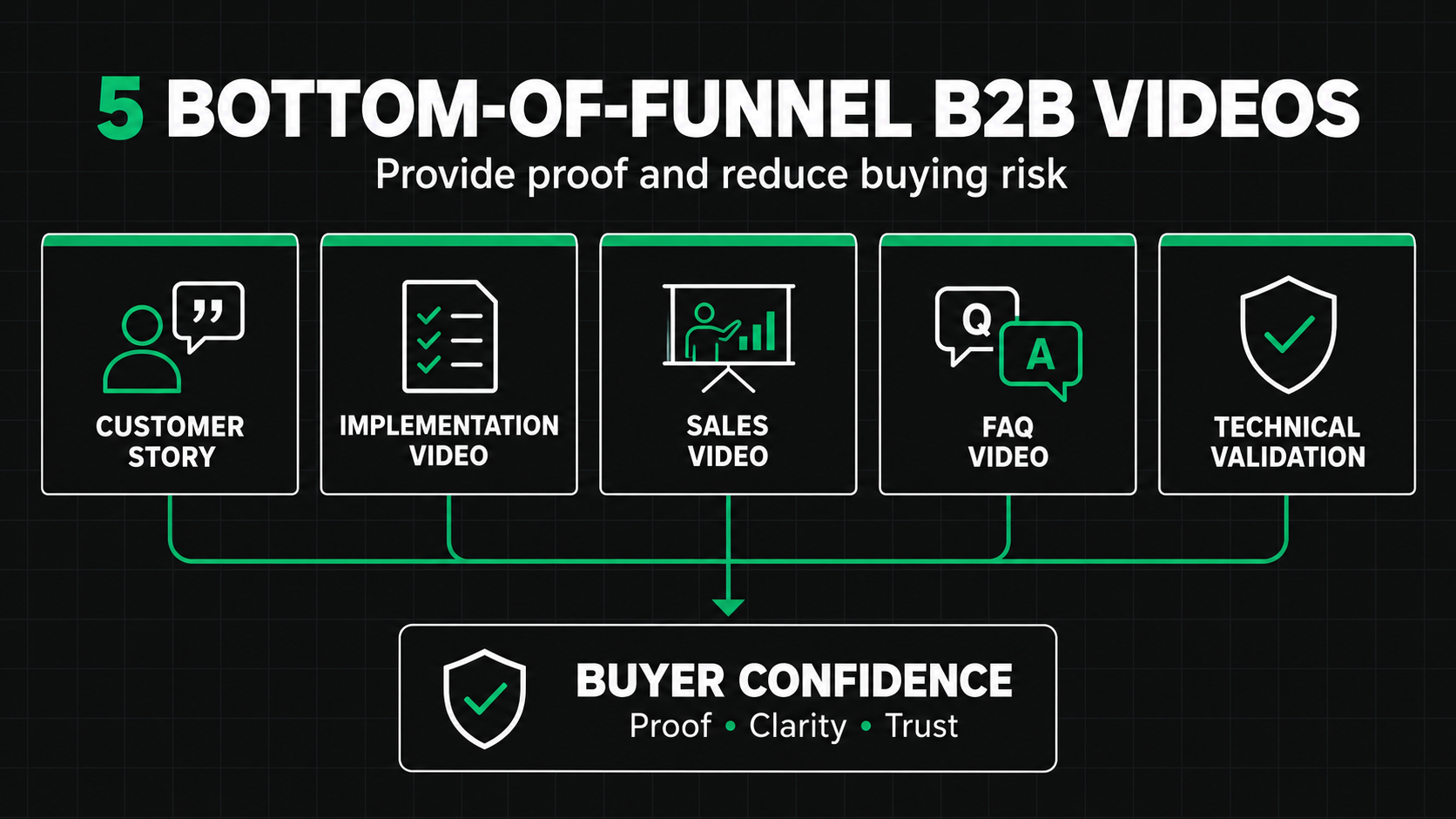
At this stage, video should make the decision easier to defend.
10. Customer testimonial videos
A customer testimonial allows a real customer to describe the problem, experience, and outcome in their own words.
The strongest testimonials are specific. They explain:
- What was happening before
- Why the customer looked for a solution
- What concerns affected the decision
- How the product or partnership worked
- What changed afterward
Avoid scripts that make every customer sound the same. Prepare useful interview questions, then allow the customer to answer naturally.
A short testimonial clip may support a landing page or paid campaign. A longer version can help sales teams address a buyer’s concerns.
11. Customer case-study videos
A case-study video develops a more complete story than a short testimonial.
It may combine customer interviews, product footage, data visualizations, workplace footage, and narration. The story should center the customer as the main character.
The product or service plays an important supporting role, but the customer owns the challenge, decisions, and progress.
Case-study videos are particularly effective when the featured customer resembles the target buyer in industry, company size, use case, or operational complexity.
12. Implementation and onboarding previews
A buyer may believe in the product but still worry about what happens after signing.
An implementation video can explain:
- The onboarding process
- Expected timeline
- Team responsibilities
- Training and support
- Data migration
- Integration steps
- What success looks like during the first few months
This type of video reduces uncertainty and helps buyers prepare internal stakeholders.
It can also improve alignment between sales and delivery teams by setting realistic expectations before the agreement is signed.
13. Personalized sales videos
A personalized sales video addresses a specific prospect, account, or buying committee.
It may include a short introduction from a salesperson, relevant product footage, and a recommendation based on the buyer’s situation.
Personalization should add real value. Simply saying the person’s name before playing a generic pitch is not enough.
A useful sales video might recap what the prospect said in a discovery call, demonstrate a relevant workflow, or answer a question raised by a technical stakeholder.
14. FAQ and objection-handling videos
Sales teams repeatedly hear questions about integrations, security, implementation, pricing, support, and internal adoption.
Those questions can become a practical video library.
Individual videos should be short and easy to share. A salesperson can select the most relevant answer instead of sending every prospect the same long recording.
These videos also create consistency. Buyers receive an approved, accurate explanation even when several team members are involved in the sales process.
15. Executive and technical validation videos
Complex purchases may require approval from executives, security teams, legal departments, or technical evaluators.
Create focused videos for these audiences rather than forcing them to watch the same general overview.
An executive video might explain the business case and expected strategic value. A technical video might cover architecture, security, governance, or integration requirements.
Each video should address the information that stakeholder needs to support or approve the decision.
How to Build a Practical B2B Video Strategy
Knowing how to use video in B2B marketing requires more than assigning formats to funnel stages.
Use the following process.
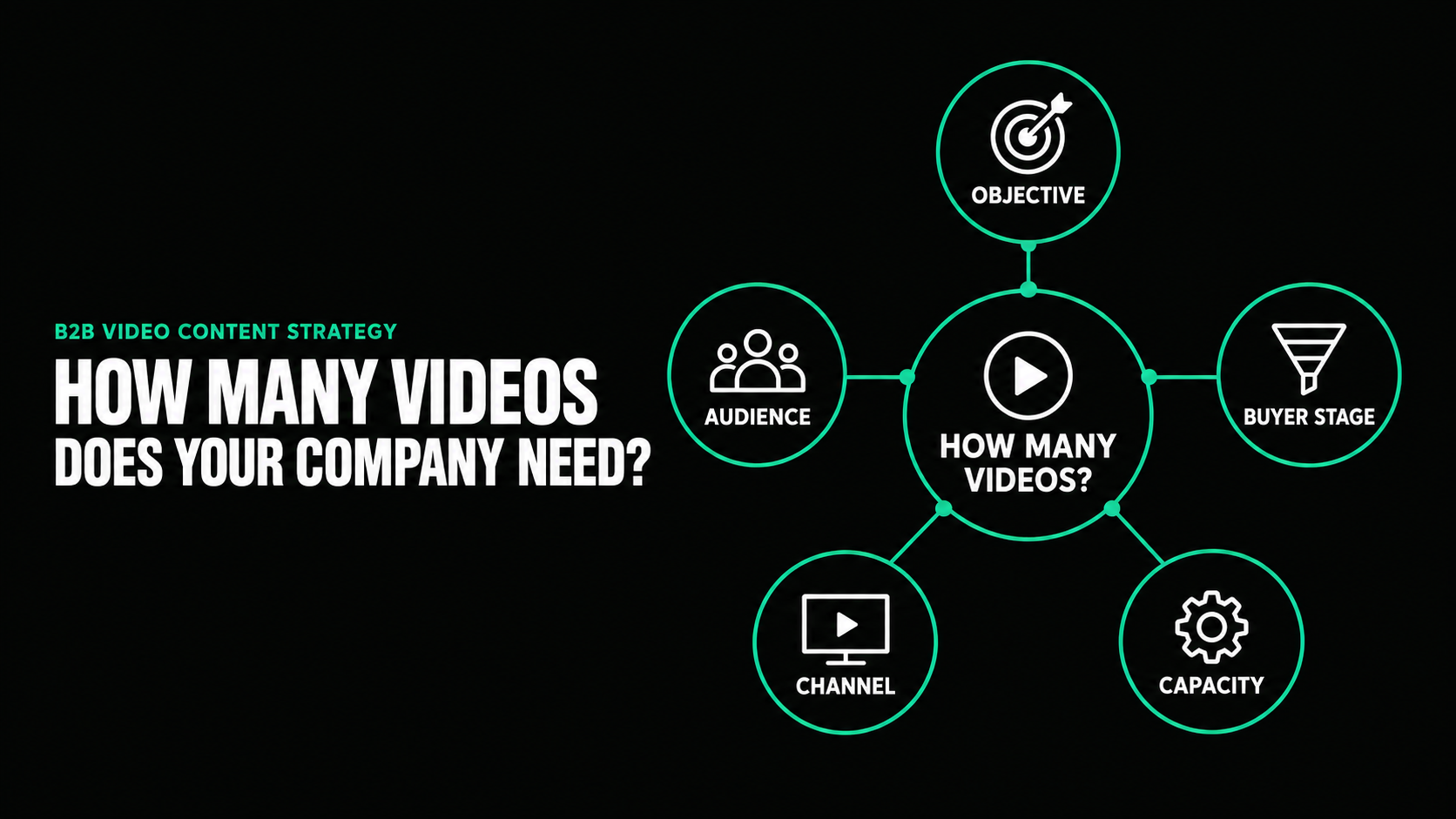
Start with the business objective
Decide whether the priority is awareness, demand generation, product understanding, sales support, customer adoption, or another specific outcome.
Define the audience and question
Identify who will watch and what that person needs to understand at that point in the buying process.
Confirm distribution before production
Decide where the video will appear. A homepage, paid social ad, sales email, trade show screen, and webinar follow-up each require different creative choices.
Plan connected assets
One strong concept can often create:
- A primary video
- Short social clips
- Paid advertising versions
- Sales presentation segments
- Email assets
- Event content
- Still images or GIFs
Plan these deliverables early so the production team can capture the right footage, framing, and messaging.
Measure the video based on its job
Top-of-funnel metrics may include reach, qualified views, engagement, and branded search.
Middle-of-funnel metrics may include product-page visits, webinar registrations, repeat visits, and video completion.
Bottom-of-funnel metrics may include sales usage, influenced opportunities, meeting bookings, and conversion.
Do not judge every video by the same metric. A brand video and an objection-handling video perform different jobs.
Build a Video System, Not a Collection of Files
A successful B2B video strategy gives each video a specific job.
Top-of-funnel videos create awareness. Middle-of-funnel videos explain the solution and build preference. Bottom-of-funnel videos provide proof, answer concerns, and support the decision.
The strongest approach is not always to produce more. It is to create the right videos in the right sequence, then adapt each strong concept across the channels where buyers and sales teams need it.
Spacebar Visuals helps B2B companies plan and produce video for product marketing, demand generation, sales enablement, customer education, events, and brand awareness. We have worked with more than 100 companies, including ISO, Rho, and Cloaked.
If you need help identifying the right videos for your funnel, reach out to Spacebar Visuals.
Let’s build your product story together


View Related Resources
Product Demo Video vs. Explainer Video
How Many Videos Does Your B2B Company Actually Need?
.png)