How to Create a B2B Product Video

How to Create a B2B Product Video That Drives Action
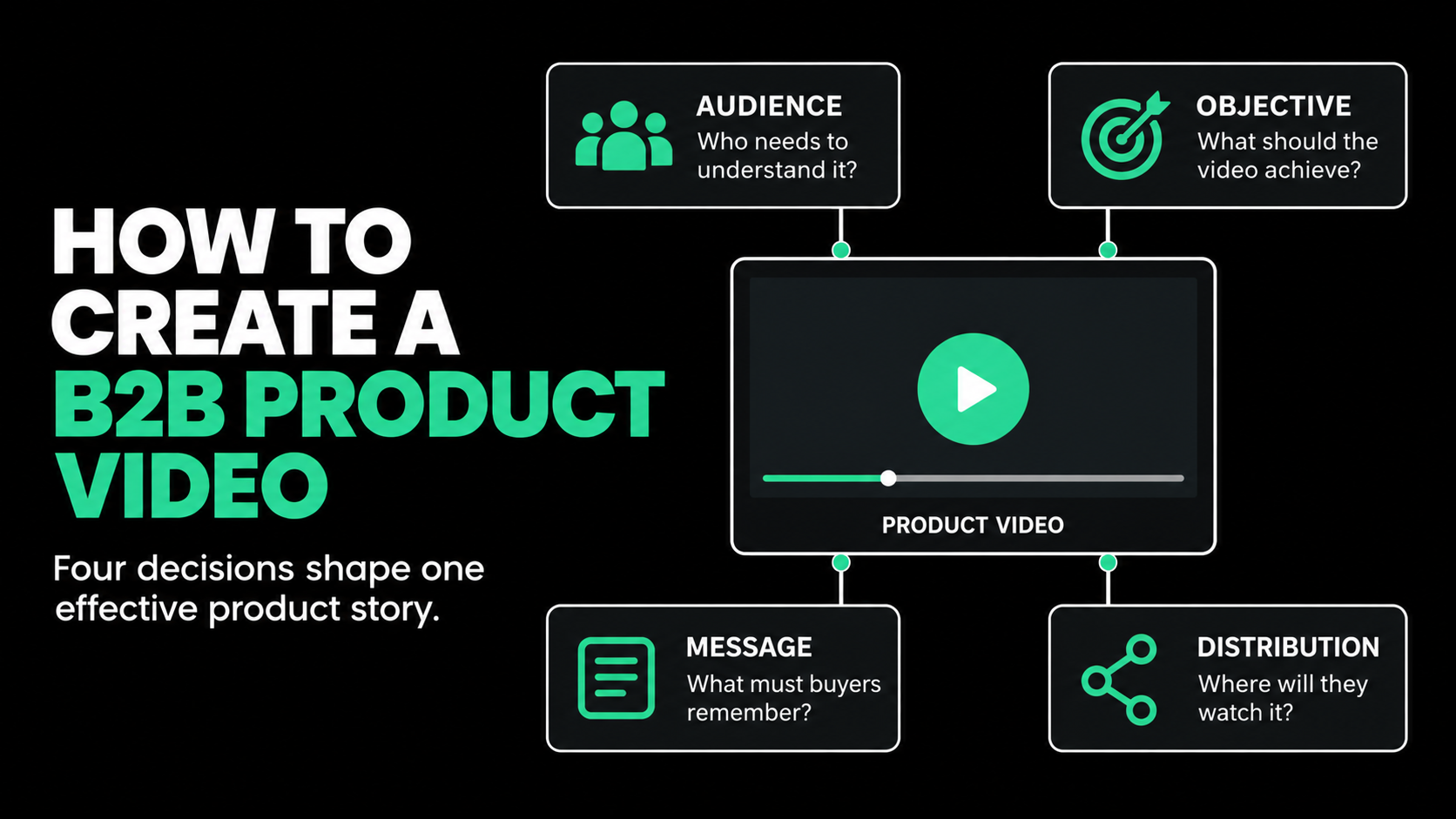
An effective B2B product video helps a specific audience understand a relevant problem, see how the product solves it, and take an appropriate next step.
Creating one requires more than recording a product demonstration or combining interface footage with a voice-over. You need a clear business objective, a defined audience, a focused message, and a distribution plan before production begins.
The strongest product videos do not explain everything. They select the information that matters most to one type of buyer at one stage of the journey.
This guide explains how to plan, script, produce, distribute, and measure a B2B product video that supports marketing and sales rather than becoming another polished asset sitting unused in a content library.
What Is a B2B Product Video?
A B2B product video explains what a business product does, who it helps, and why its approach matters.
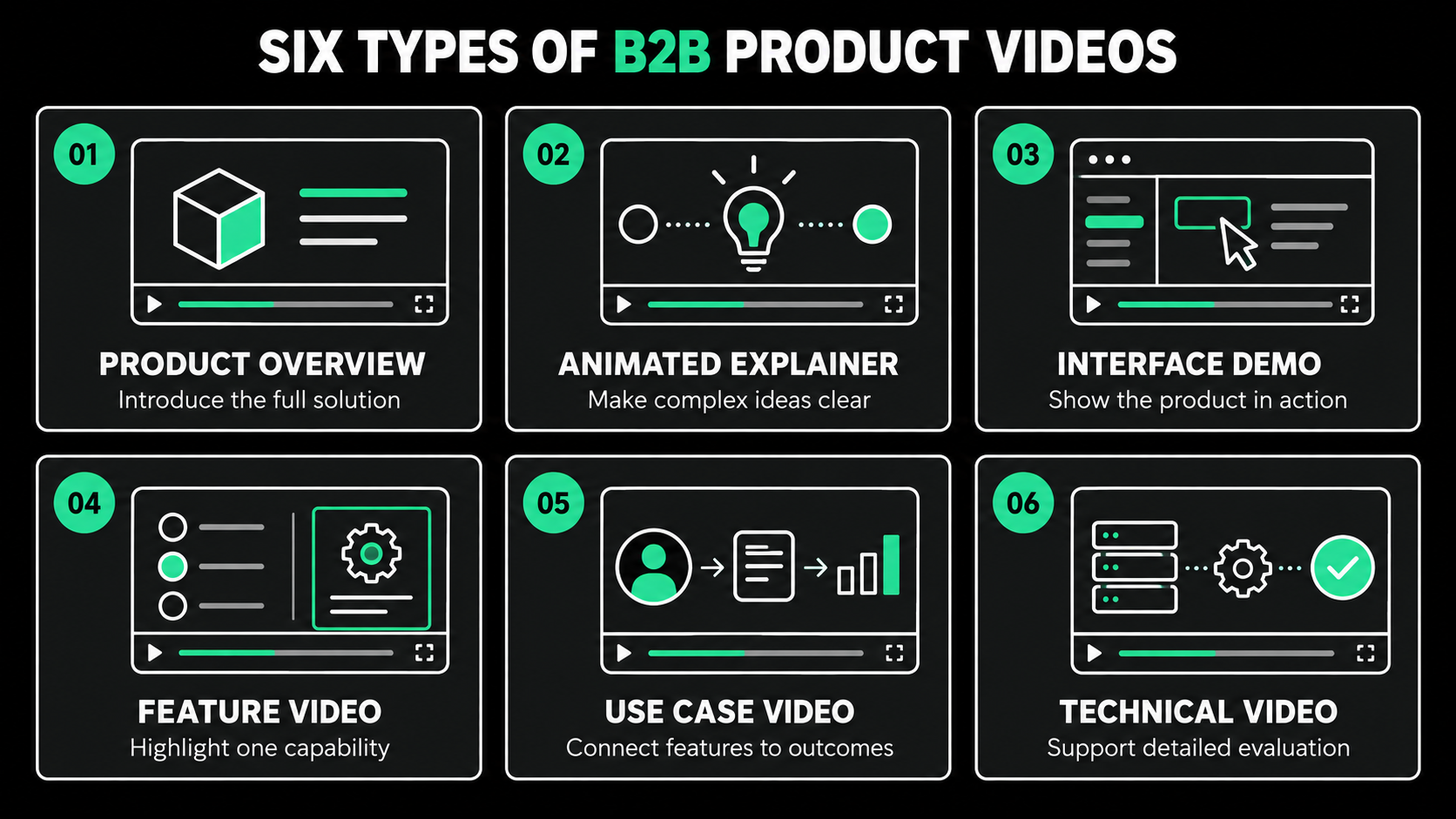
Depending on its purpose, it may include:
- A product overview
- An animated explainer
- A software interface walkthrough
- A specific feature demonstration
- A product launch video
- A use-case video
- A technical demonstration
- A short video for paid advertising
- A personalized video for sales outreach
A product video is not the same as a complete software demo. A demo often provides a detailed walkthrough for an interested buyer. A product video usually creates a shorter, more structured explanation around the buyer’s problem and the product’s value.
That distinction matters. Showing every screen may prove that a product has many features, but it does not help the audience understand which ones are relevant.
Why Does B2B Product Video Require a Different Approach?
B2B products are often difficult to explain in a short format. They may involve technical workflows, several user types, integrations, security requirements, and benefits that appear over time.
The buying process may also include executives, end users, technical evaluators, finance teams, and legal or compliance reviewers. Each person approaches the purchase with different questions.
A chief financial officer may care about cost, efficiency, and risk. An end user may want to see how the product affects daily work. An IT leader may need technical and security details.
Trying to satisfy all these audiences in one video usually produces a crowded message.
This is why B2B video strategy must begin with audience and purpose. The question is not simply, “What should we say about the product?” It is, “What does this viewer need to understand now?”
LinkedIn’s 2025 B2B Marketing Benchmark found that 78% of surveyed B2B marketers were already using video. It also highlighted video’s ability to support trust throughout the buyer journey, from awareness and education to customer proof and decision support.
Step 1: Define the Product Video’s Business Objective
Every product video should have one primary job.
That job might be to:
- Introduce a new product
- Explain an unfamiliar category
- Increase landing-page conversions
- Support a demand-generation campaign
- Help sales explain the product
- Demonstrate a key feature
- Address a common objection
- Generate demo requests
- Support an event or presentation
- Help customers adopt a new capability
Write the objective in one sentence:
This video will help [audience] understand [message] so they will [action].
For example:
This video will help compliance leaders understand how the platform creates an audit trail so they will request a technical demonstration.
This statement gives the project a decision-making filter. If a proposed feature, visual, or message does not support that objective, it may not belong in the video.
Avoid giving one video several equally important objectives. A homepage overview, product launch, paid advertisement, and technical sales tool may require related content, but they should not automatically be the same asset.
Step 2: Identify the Primary Audience
Select one primary audience before writing the script.
Document:
- Job title or role
- Industry
- Company type or size
- Main business problem
- Current way of managing the problem
- Level of product awareness
- Most likely concern
- Desired next action
For example, a data platform could target both technical and business audiences.
A technical evaluator may want to understand architecture, integrations, and governance. A marketing executive may care about faster insights and better campaign decisions.
Both audiences matter, but combining their priorities in one short video can weaken the message. A better approach is to produce one central overview supported by audience-specific versions.
The overview establishes the shared value. The additional videos answer each group’s deeper questions.
Step 3: Choose the Right Type of Product Video
The format should follow the objective.
Product overview video
Use an overview when the audience needs a clear introduction to the product and its value.
It should explain the buyer’s problem, the product’s approach, and the main outcome without becoming a detailed tutorial.
Animated explainer
Animation works well when the product is abstract, technical, difficult to film, or still being developed.
It can simplify data flows, integrations, systems, and processes while controlling exactly what the viewer sees.
Interface demonstration
Use interface footage when seeing the actual product will increase understanding or credibility.
Do not simply record a user clicking through menus. Structure the demonstration around a practical task or outcome.
Feature video
A feature video focuses on one capability and the problem it solves. This format works well for product launches, landing pages, sales follow-up, and customer education.
Use-case video
A use-case video shows how a particular role or industry applies the product. It can make a broad platform feel more relevant to a defined audience.
Technical product video
Technical videos can explain architecture, security, integrations, implementation, or governance. They are most useful later in the buying journey when specialist reviewers need more detail.
Your B2B video marketing strategy may require several of these formats working together rather than one video trying to cover everything.
Step 4: Build the Message Around a Buyer Problem
Many product videos begin with the company, its history, or a general claim about innovation.
That is rarely the strongest opening.
Start with a problem the audience recognizes. Then explain what changes when the product is introduced.
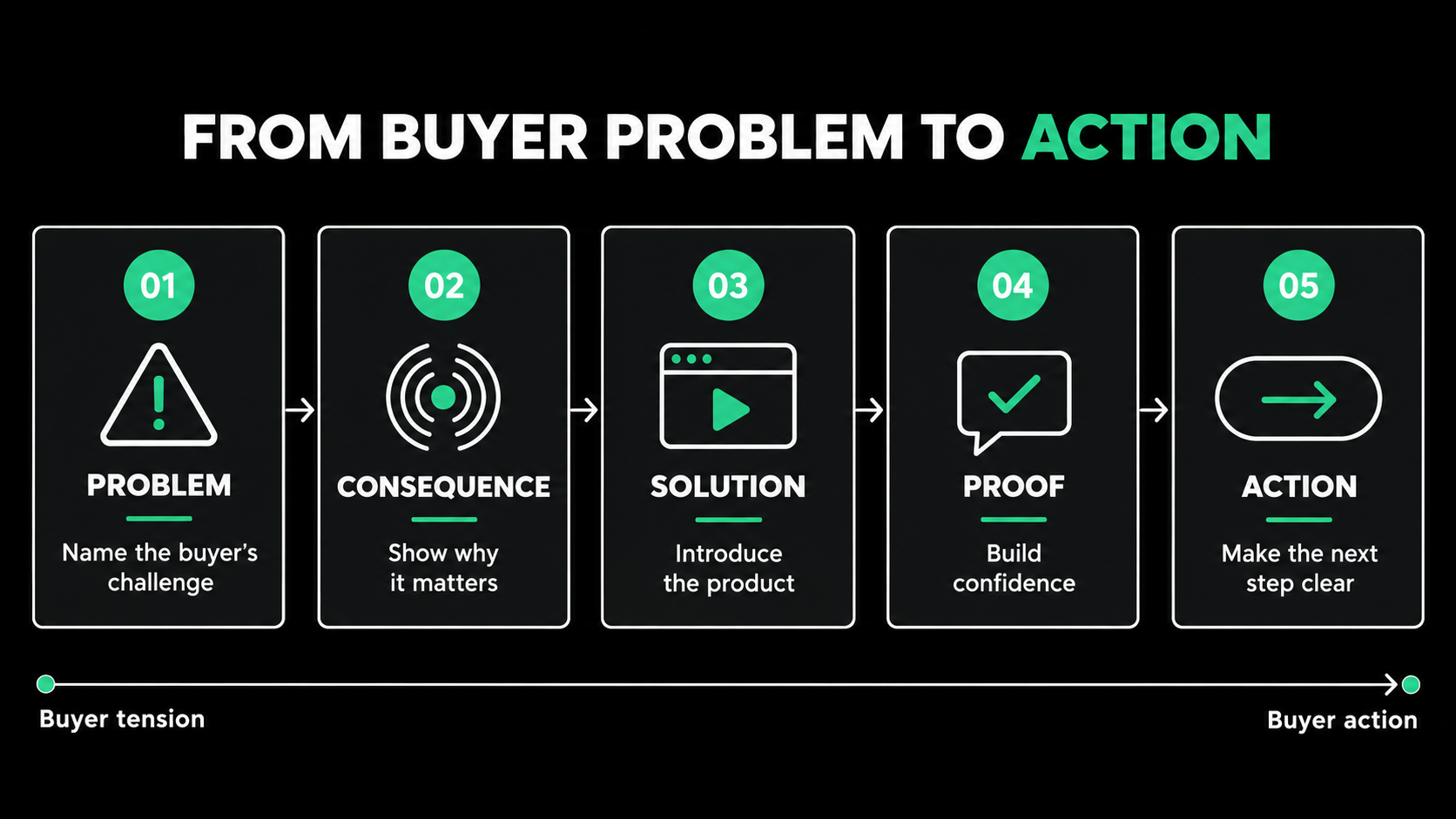
A useful message structure is:
- Problem: What is making the buyer’s work difficult?
- Consequence: Why does the problem matter?
- Solution: How does the product approach it?
- Proof: What makes that explanation believable?
- Action: What should the viewer do next?
For example, instead of opening with:
Our platform is an advanced solution for workflow management.
Try:
When approvals happen across email, spreadsheets, and separate systems, teams lose time and managers lose visibility.
The second opening gives the viewer a reason to continue. It connects the product to a recognizable situation before introducing the solution.
Step 5: Decide What to Show
Product video planning should involve both words and visuals. A script explains what the viewer hears, while a storyboard explains what the viewer sees.
Each visual should perform a useful job.
Possible visuals include:
- Product interface footage
- Simplified interface animation
- Workflow diagrams
- Data movement
- Before-and-after processes
- On-screen text
- Customer environments
- Physical product demonstrations
- Live-action workplace scenes
- Icons and motion graphics
If the narration says the product is fast, do not simply display the word “fast.” Show a process becoming shorter or a task being completed with fewer steps.
Avoid displaying detailed interface footage that viewers cannot read. If the screen is crowded, isolate the relevant section or recreate it with simplified animation.
The purpose is not to prove that the product has an interface. It is to help viewers understand what happens when they use it.
Step 6: Write a Focused Product Video Script
A strong script sounds clear when read aloud. It does not sound like a product page copied into a voice-over.
Use short sentences and familiar language. Explain technical terms when they are necessary.
For a 60-to-90-second product overview, a useful structure is:
Opening
Introduce the buyer’s problem or desired outcome.
Problem development
Show why the current approach creates cost, delay, risk, or frustration.
Product introduction
Present the product as a response to that problem.
Key capabilities
Select two or three capabilities that support the main claim.
Outcome
Explain what improves for the user or organization.
Call to action
Give the viewer one relevant next step.
Do not measure script quality by how many features fit into it. A focused script gives important ideas enough time to register.
Wistia’s research across more than 13 million videos found that shorter videos tend to achieve higher engagement, but longer educational content can still produce meaningful viewing and action. The right length depends on the goal and the viewer’s level of interest.
Step 7: Select the Right Production Style
The best production style is the simplest approach that communicates the idea accurately and convincingly.
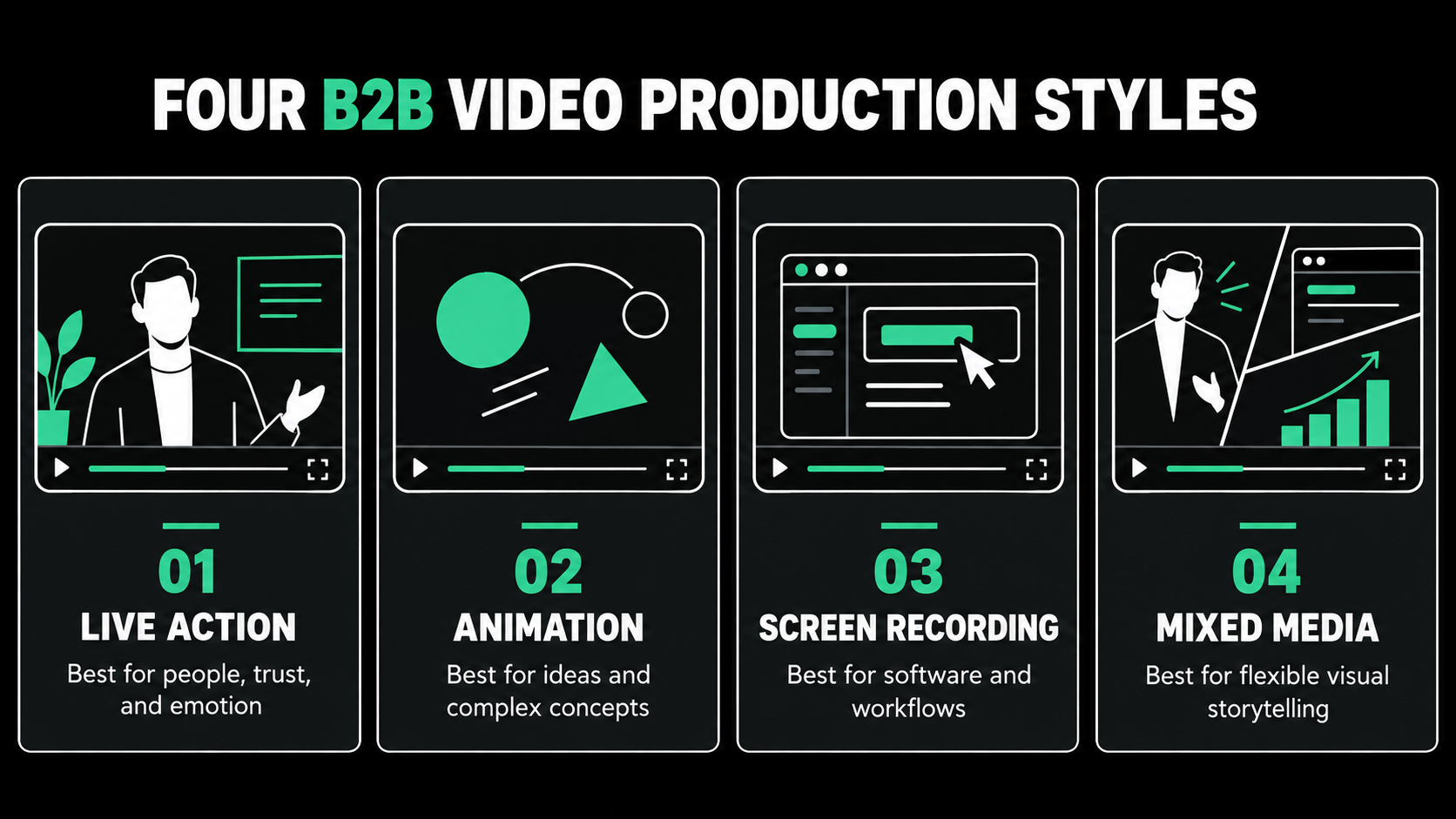
Live action
Live action can humanize the product and show it being used in a real environment. It works well when people, physical locations, or customer interactions are important to the story.
Animation
Animation provides complete visual control. It can explain abstract concepts, protect sensitive information, and present a software interface without depending on a live product build.
Screen recording
Screen recordings are practical for feature demonstrations and tutorials. They require careful pacing, clean data, and deliberate camera movement so viewers know where to look.
Mixed media
Combining live action, product footage, animation, and motion graphics can connect human outcomes to product functionality.
Production complexity should support the message. Custom 3D animation, actors, or several locations may be appropriate for some campaigns, but complexity alone does not make a product video more persuasive.
Step 8: Establish a Clear Review Process
B2B product videos often involve feedback from marketing, product, sales, legal, executives, and technical experts.
Without a clear approval process, the project can become slow and inconsistent.
Assign one project owner who will:
- Collect stakeholder feedback
- Resolve conflicting comments
- Confirm technical accuracy
- Protect the original objective
- Submit one consolidated response
- Approve each production stage
Review the concept before scripting, the script before storyboarding, and the storyboard before animation or filming.
Feedback becomes more expensive when it arrives late. Changing one sentence in the script is simple. Rebuilding an animated scene or arranging another shoot may affect both cost and schedule.
Step 9: Plan Distribution Before Production
Knowing how to use video in B2B marketing begins with knowing where the video will appear.
Possible distribution channels include:
- Homepage
- Product page
- Campaign landing page
- Paid advertising
- Organic LinkedIn content
- Email campaigns
- Sales outreach
- Presentations
- Webinars
- Trade shows
- Customer onboarding
Distribution affects runtime, opening, aspect ratio, on-screen text, captions, and call to action.
A homepage viewer may allow time for context. A social viewer may need the product problem established within the first few seconds. An event version may need to work without sound.
Do not produce one widescreen master and assume it can be resized for every channel. Vertical and square versions may require different framing, pacing, and text placement.
Step 10: Turn One Product Video Into Multiple Assets
A well-planned product video can support a larger B2B video content marketing program.
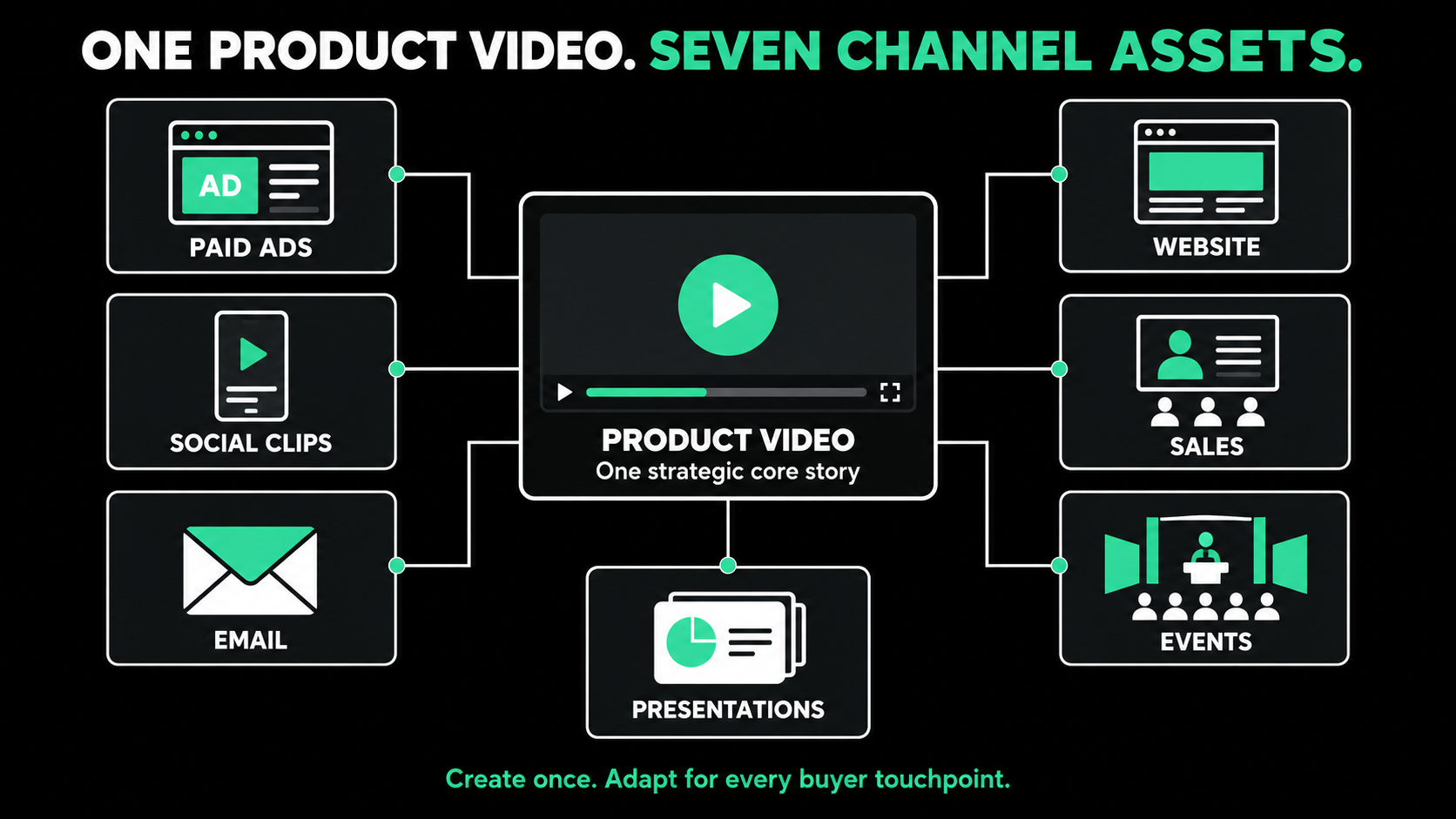
One central concept might produce:
- A 90-second product overview
- A 30-second landing-page version
- Three 15-second paid advertisements
- Feature-specific social clips
- Vertical and square versions
- A silent event loop
- Sales presentation clips
- Short GIFs or animations
- Still images
- Email thumbnails
Plan these deliverables before filming or animation begins.
If vertical cutdowns are required, scenes must be composed so important content remains visible. If sales needs feature clips, the script and storyboard should create clear sections that can stand on their own.
Repurposing should not mean posting the same edit everywhere. It means adapting one strong idea to different audience contexts.
Step 11: Include Accessibility
Accessibility should be built into the project.
Plan for:
- Accurate captions
- Readable on-screen text
- Sufficient color contrast
- Descriptive transcripts when appropriate
- Information that does not depend only on color
- Clear narration of important ideas
The W3C states that captions should be provided for prerecorded synchronized media when audio is necessary to understand the content. Captions should include important speech and relevant non-speech audio.
Captions also help when viewers watch in environments where audio is unavailable or inconvenient.
Step 12: Measure the Product Video Based on Its Job
Do not judge every product video by public views.
Select metrics that match the objective.
Awareness metrics
- Reach
- Qualified views
- Watch time
- Engagement
- Branded search activity
Consideration metrics
- Product-page visits
- Video completion
- Repeat viewing
- Click-through rate
- Webinar or content registrations
Decision metrics
- Demo requests
- Qualified meetings
- Sales usage
- Influenced opportunities
- Landing-page conversions
Also review where viewers stop, skip, or rewatch. A drop during a long product explanation may indicate that the message is too detailed. Repeated viewing of one feature may show what prospects care about most.
Use those insights to improve the next video rather than treating production as a one-time project.
Common B2B Product Video Mistakes
Avoid these common problems:
- Trying to address every buyer in one video
- Listing features without explaining their value
- Beginning with a long company introduction
- Showing interface footage that is too small to read
- Writing the script before defining distribution
- Using technical language without explanation
- Adding production complexity without a strategic reason
- Collecting stakeholder feedback separately
- Creating one format for every channel
- Measuring success only through views
The strongest product video is not necessarily the most expensive or visually complex. It is the one that helps the intended viewer understand the product and take the right next step.
Create a Product Video With a Clear Job
A successful B2B product video is built around an audience, business objective, distribution plan, and stage of the buyer journey.
Start with the problem the viewer needs to solve. Select only the product capabilities that support the central message. Then choose the production approach that communicates the idea clearly.
Most importantly, decide how the finished video will be used before production begins. One strong concept can support your website, paid advertising, organic social content, sales outreach, presentations, events, and email campaigns.
Spacebar Visuals helps B2B companies plan and produce videos for product marketing, demand generation, sales enablement, customer education, events, and brand awareness. We have worked with more than 100 companies, including ISO, Rho, and Cloaked.
If you need help defining or producing your next product video, book a video strategy call with Spacebar Visuals.
Let’s build your product story together


View Related Resources

8 B2B Customer Testimonial Video Examples That Work
How to Create a B2B Customer Testimonial Video
