How to Create a SaaS Product Video


How to Create a SaaS Product Video: A Practical Guide
To create an effective SaaS product video, start with one audience, one business objective, and one meaningful workflow. Show only the parts of the product needed to prove its value, then end with a clear next step, such as exploring a product page, starting a trial, or booking a demo.
The common mistake is treating the video as a compressed tour of the entire platform. Buyers do not need to see every menu and feature. They need to understand why the product matters, how it could improve their work, and whether taking the next step is worthwhile.
What Is a SaaS Product Video?
A SaaS product video explains a software product, feature, or use case through screen recordings, animation, voice-over, live action, or a mix of formats.
It may introduce the platform, demonstrate a workflow, support a launch, or help a qualified buyer evaluate the product. That purpose should be specific. “Explain everything” is not a useful brief.
A product overview gives buyers a mental model of the platform. A demo shows how someone completes a task. Feature, use-case, and integration videos answer narrower questions for specific buyers.
Start With the Business Objective
Before discussing animation styles or screen recordings, decide what the video should help the business achieve.
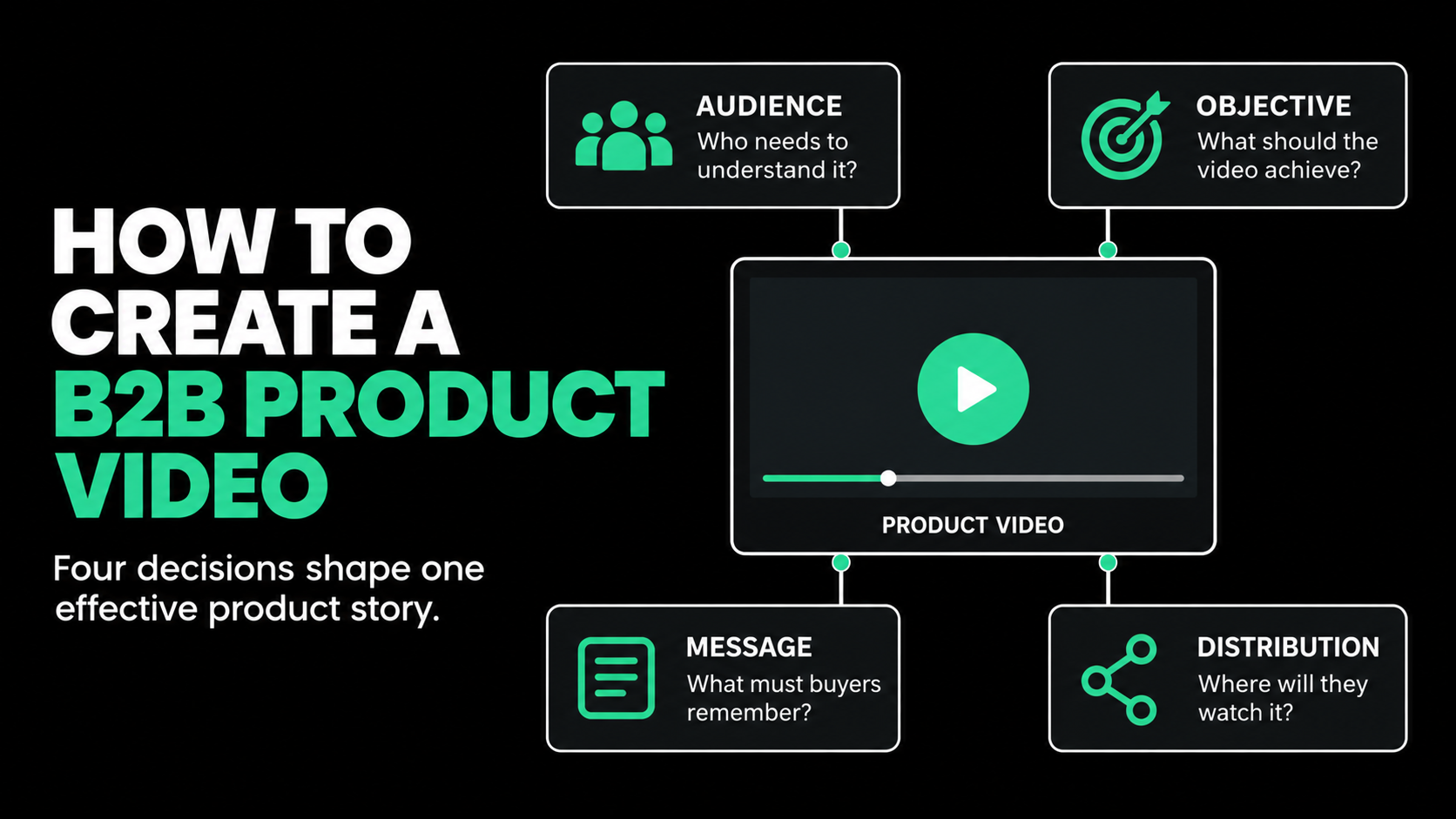
The goal may be to improve product-page conversion, generate qualified demos, support a launch, answer a sales objection, or increase feature adoption. Choose one primary objective. It will shape the message, runtime, distribution plan, and call to action.
A useful one-sentence brief is:
This video will help [specific audience] understand [specific product value] so they can [next action].
For example:
This video will help finance operations leaders understand how automated reconciliation reduces manual investigation so they can book a tailored demo.
If the team cannot agree on that sentence, it is too early to write the script. Production will not solve a positioning problem.
Choose One Primary Audience
SaaS buying groups have different priorities. Executives care about business impact. Technical evaluators want to understand integration, security, and implementation. Daily users care about making their work faster or easier.
Trying to satisfy all of them in one short video usually leads to vague claims and crowded screens. Choose a primary viewer based on their role, current process, product knowledge, concerns, and desired next action.
Other stakeholders can be served through cutdowns, technical explainers, sales clips, or follow-up content built from the same concept.
Plan Distribution Before Production
Where the video will appear changes how it should be made.
A homepage video must orient a new visitor quickly. A paid social ad cannot assume the viewer knows the category. A sales video can address a narrow objection in greater detail. A customer education video can spend more time showing the interface because the viewer already understands the product.
Decide whether the video will live on a product page, landing page, social channel, sales deck, launch event, webinar, or help center. That affects the opening, length, format, captions, interface scale, and call to action.
Choose the Right Type of SaaS Video
Not every software video should be a demo. The best format is the one that answers the buyer’s current question.

Product overview video
Use an overview when viewers need a simple mental model of the product. Explain who it is for, what problem it solves, how the main workflow works, and why the approach is different.
An overview should create understanding, not replace a full sales demonstration.
SaaS product demo video
A SaaS product demo video shows the software completing a meaningful task. Build it around a real use case rather than the navigation menu.
Show the starting situation, the actions that matter, and the result. Remove clicks, loading screens, and setup steps that do not prove value.
Animated explainer
Animation works well when the value depends on data movement, integrations, automation, infrastructure, security, or activity that happens behind the interface. It can make an invisible process easier to understand.
Animation should clarify the product, not decorate it. If a screen recording makes the point more directly, use it.
Feature or use-case video
A feature launch video should explain what changed, why the change matters, and how the intended user can benefit. Avoid turning release notes into a voice-over.
Use-case videos help when one platform serves several roles or industries. An analytics product may need different stories for marketing, finance, and operations because each audience defines success differently.
Build the Story Around a Workflow
A weak product video lists features. A stronger one shows how work changes.
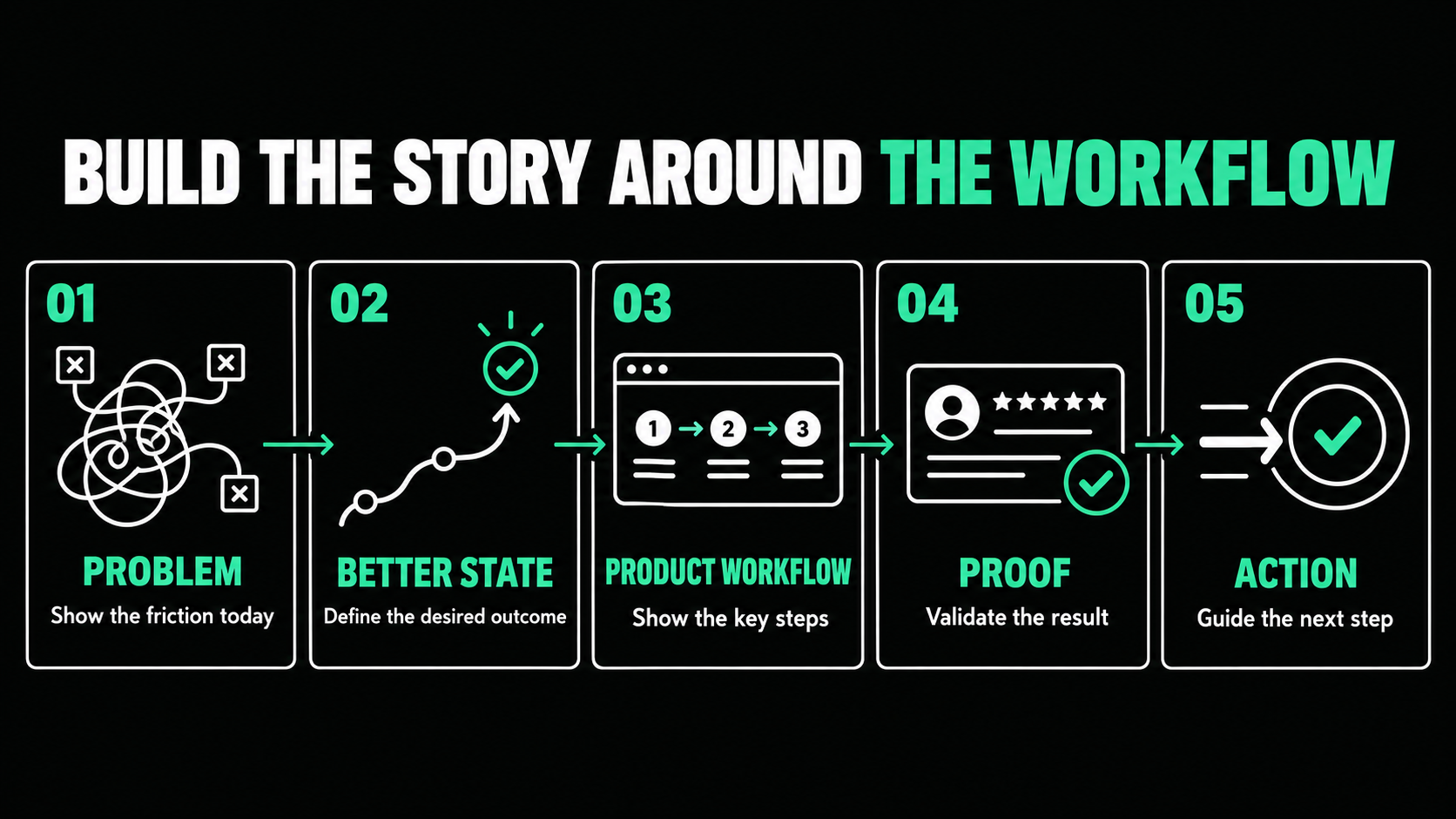
Use this five-part structure:
- Problem: Establish the slow, difficult, or risky current process.
- Better state: Show what the audience should be able to accomplish.
- Product workflow: Demonstrate how the software enables that change.
- Proof: Show the result, evidence, or a meaningful differentiator.
- Action: Give the viewer one logical next step.
Suppose the software helps customer-success teams identify accounts at risk. The video might open with important signals scattered across support, usage, and billing systems. It then shows the platform combining those signals, flagging an account, and recommending an action.
The story is “see risk earlier and act before the customer leaves.” It is not “click here, then click here.” That distinction is what turns interface footage into a marketing story.
Write the Script for Both Audio and Visuals
A two-column script is one of the simplest ways to improve SaaS product video production. One column contains the audio. The other describes what the viewer will see.
This prevents the voice-over from narrating every click. The audio should explain meaning while the visuals provide evidence.
Write in direct sentences, remove internal terminology, and read the script aloud. Language that looks concise on a page can sound stiff when spoken.
Use on-screen text selectively for labels, proof points, and key ideas. Repeating every spoken sentence on screen makes the video harder to follow, not easier.
Decide How to Show the Product Interface
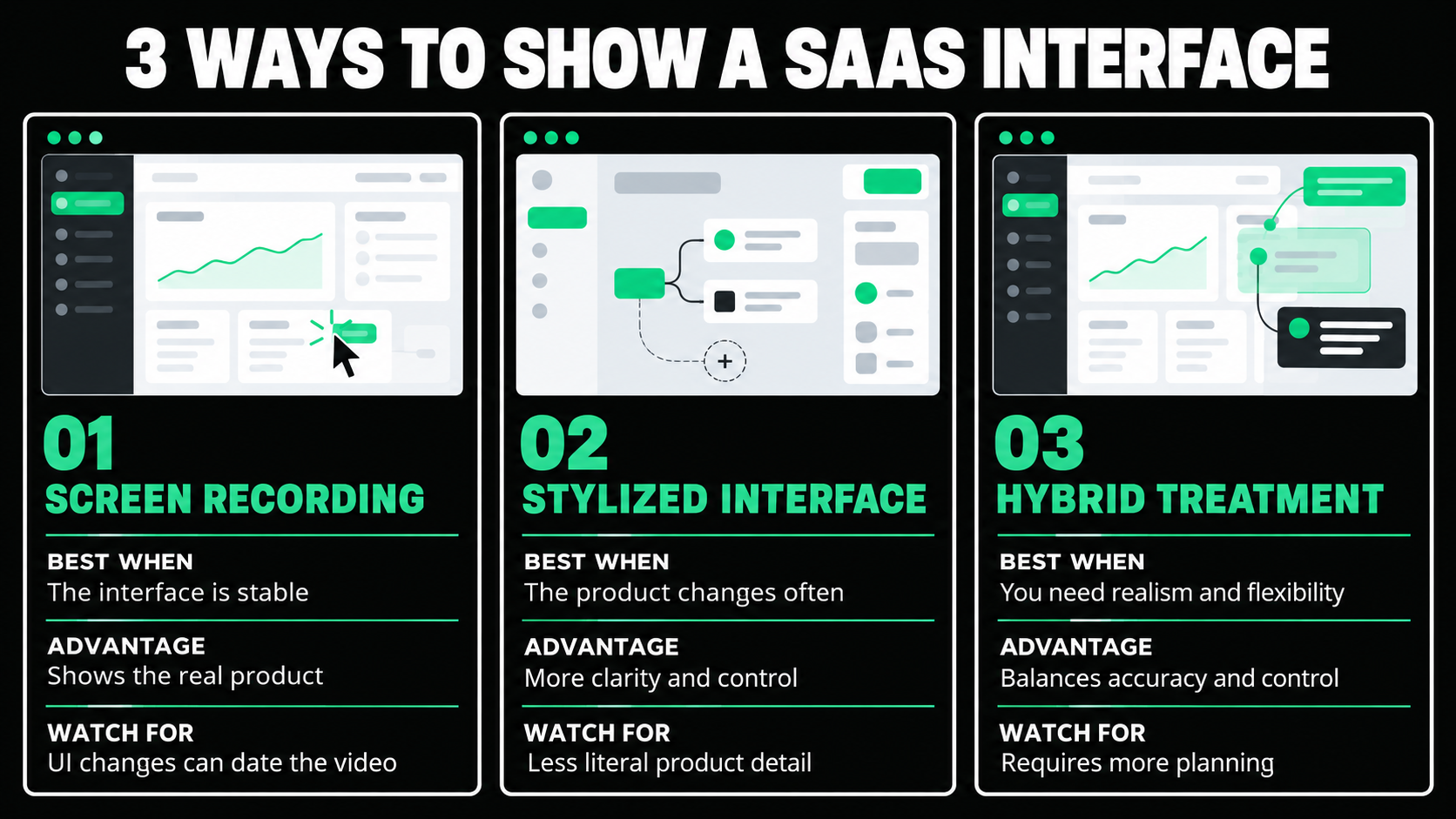
Real screen recordings provide accuracy and credibility, especially for demos, tutorials, onboarding, and sales enablement. They also become dated when the navigation, branding, or product design changes.
Stylized interface animation simplifies the product into the elements needed for the story. It can stay useful longer, but it must represent the real workflow honestly.
A hybrid treatment often provides the best balance. Real screens combined with zooms, highlights, and diagrams keep the product recognizable while directing attention.
Simplification is useful, but never imply unsupported features. That creates problems for sales teams later.
Prepare a Credible Demo Environment
Product footage is convincing only when the environment feels complete and believable.
Create realistic sample data that cannot be connected to a real customer. Remove private information, internal notes, test accounts, and unrelated browser tabs. Confirm that the correct permissions and user role are active, and make sure the interface matches the approved script.
Risky live actions should be recorded in advance or backed up with alternative footage. Notifications should be disabled. Every claim shown on screen should be supportable.
These details may sound small, but buyers notice empty dashboards, placeholder records, and inconsistent screens. A controlled environment makes the product feel ready for serious use.
Storyboard Before Detailed Production
A storyboard maps each script section to a visual frame using rough sketches, screenshots, interface references, or notes. It does not need finished artwork.
It lets stakeholders review the workflow, claims, and sequence before expensive work begins. Changing a rough frame is easier than changing polished animation.
A sensible approval order is message, script, storyboard, visual style, and final edit. Skipping ahead creates avoidable rework.
Produce for Clarity, Not Visual Complexity
During production, make the interface easy to read. Crop around the relevant area, enlarge important elements, and avoid showing a full desktop when only one field matters. Cursors, highlights, and zooms should guide attention without competing with the product.
Sound deserves the same care. Use a clear voice, controlled music, and accurate captions. W3C explains that captions should include speech and meaningful non-speech audio, and that automatic captions should be reviewed for accuracy. W3C guidance on captions
Many viewers also encounter video without sound, especially in social feeds, at events, or in shared environments.
How Long Should a SaaS Product Video Be?
There is no universal runtime. Length should follow the viewer’s intent and the video’s job.
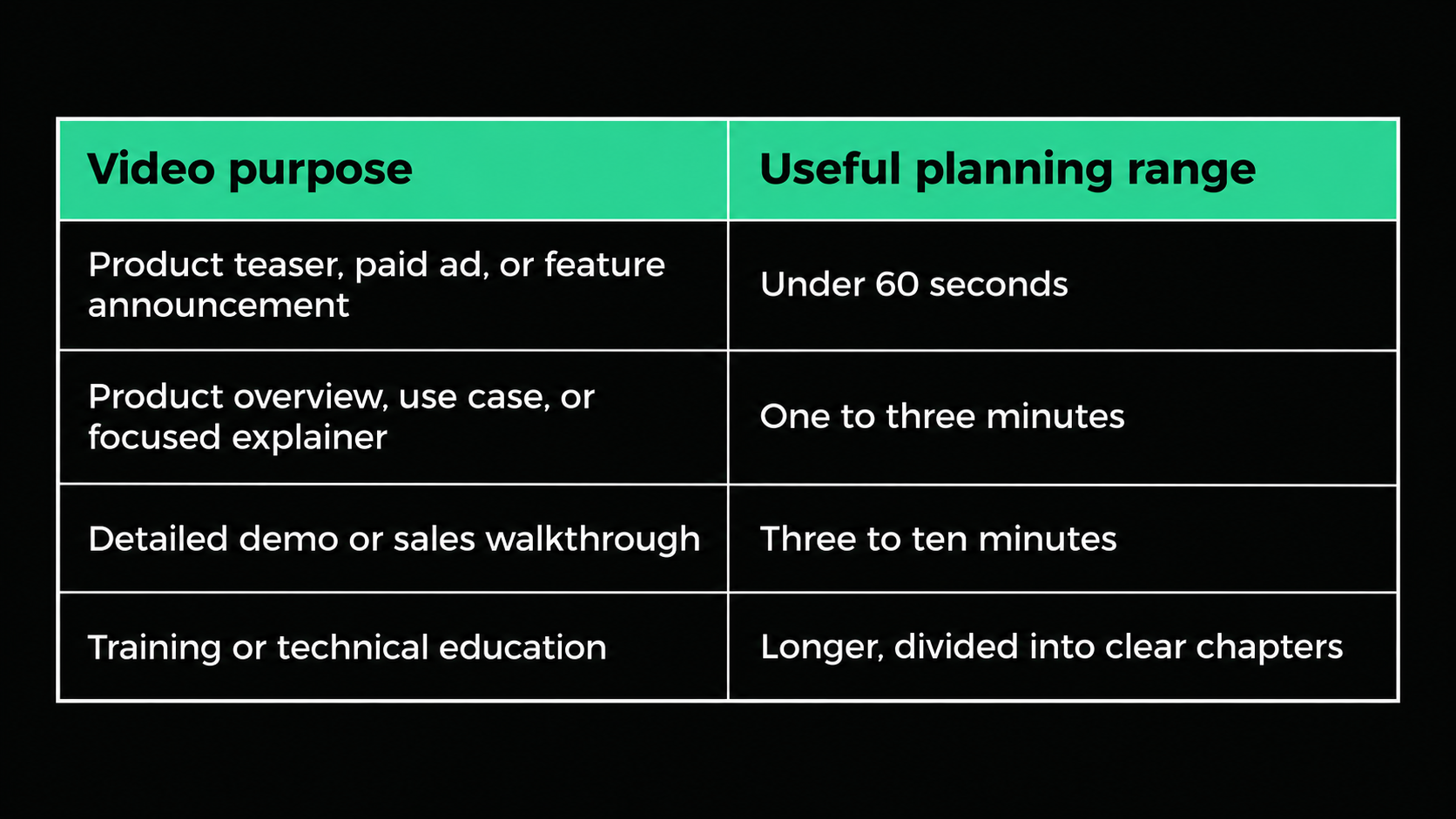
Wistia’s 2026 research, based on more than 13 million videos, recommends under one minute for awareness, one to five minutes for explanation, and longer formats for deeper walkthroughs or training. Wistia video length research
Do not stretch a simple message to make it feel substantial. Do not compress a technical explanation until it becomes unclear. A useful video earns its length.
Keep the Review Process Focused
Many B2B video delays come from decision-making. Decide who owns the final call, checks product accuracy, and reviews creative work.
Collect feedback in one place and separate factual corrections from personal preferences. Product, legal, sales, and leadership teams may all need input, but they should not give disconnected instructions across different channels.
Review the script before animation or detailed editing. Ask whether the video serves the intended audience and objective, not whether every reviewer would have written it the same way.
Turn One Video Into a Content System
A 90-second overview should rarely exist as one isolated file. With advance planning, the same concept can produce a shorter paid ad, several feature clips, a vertical social edit, a silent event-screen version, a sales presentation segment, product GIFs, and still campaign assets.
Repurposing works best when it is planned before the shoot or animation begins. The script may need self-contained lines, alternate openings, additional screen captures, and more than one call to action.
Each version should still have a specific job. A paid ad may focus on the buyer’s problem, while a sales clip explains one workflow in more depth. Reuse the strategy and production work, but adapt the edit to the channel.

Measure the Video Against Its Job
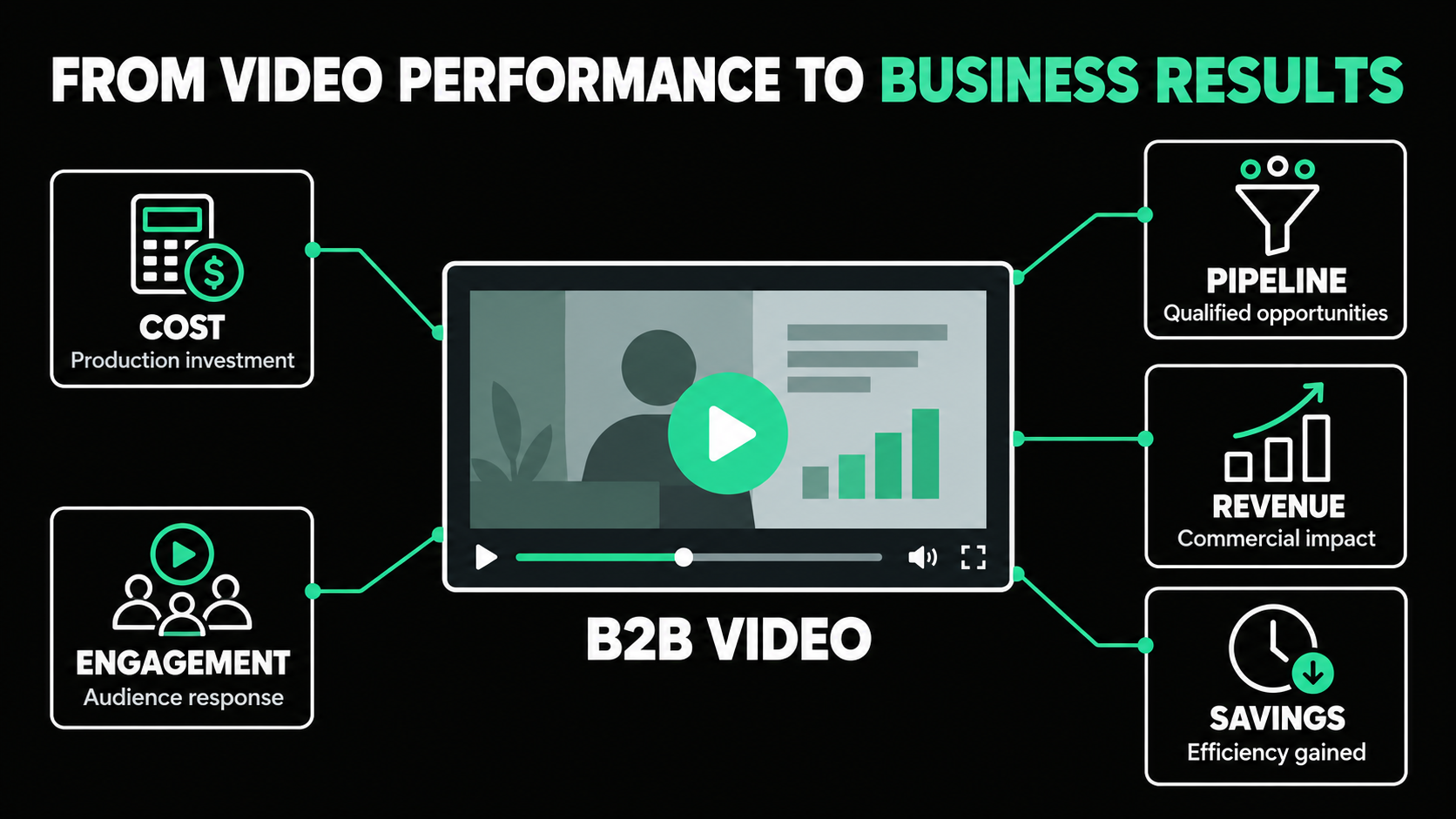
Views are useful context, but they do not prove business value on their own. Measurement should reflect the objective and placement.
A landing-page video might be evaluated through play rate, watch time, clicks, and page conversion. Paid edits should be connected to campaign performance. A sales video may receive relatively few views but still influence active opportunities. Customer education content may be judged through feature adoption or fewer support requests.
Connect video analytics with campaign, website, product, and CRM data where possible. The goal is not to claim that one asset caused every result. It is to understand whether the video is helping the intended audience move forward.
Create the Video Around One Clear Job
Knowing how to create a SaaS product video begins with strategy, not screen recording.
Choose one audience, objective, workflow, distribution plan, and next action. Show enough of the product to make the value credible. Prepare realistic demo data, settle the message before detailed production, and build additional versions around real channel needs.
The final video should do more than prove that the software has features. It should help the right viewer understand how the product can improve a meaningful part of their work.
Planning a SaaS product video but unsure which workflow to show, what production style to use, or how to turn it into a broader campaign?
Spacebar Visuals helps B2B SaaS teams connect video strategy and production to product marketing, demand generation, sales enablement, customer education, events, and brand awareness.
Book a video strategy call to discuss your product, audience, distribution plan, and production options.
Let’s build your product story together


View Related Resources
How to Measure B2B Video Marketing ROI
How to Create a B2B Product Video
