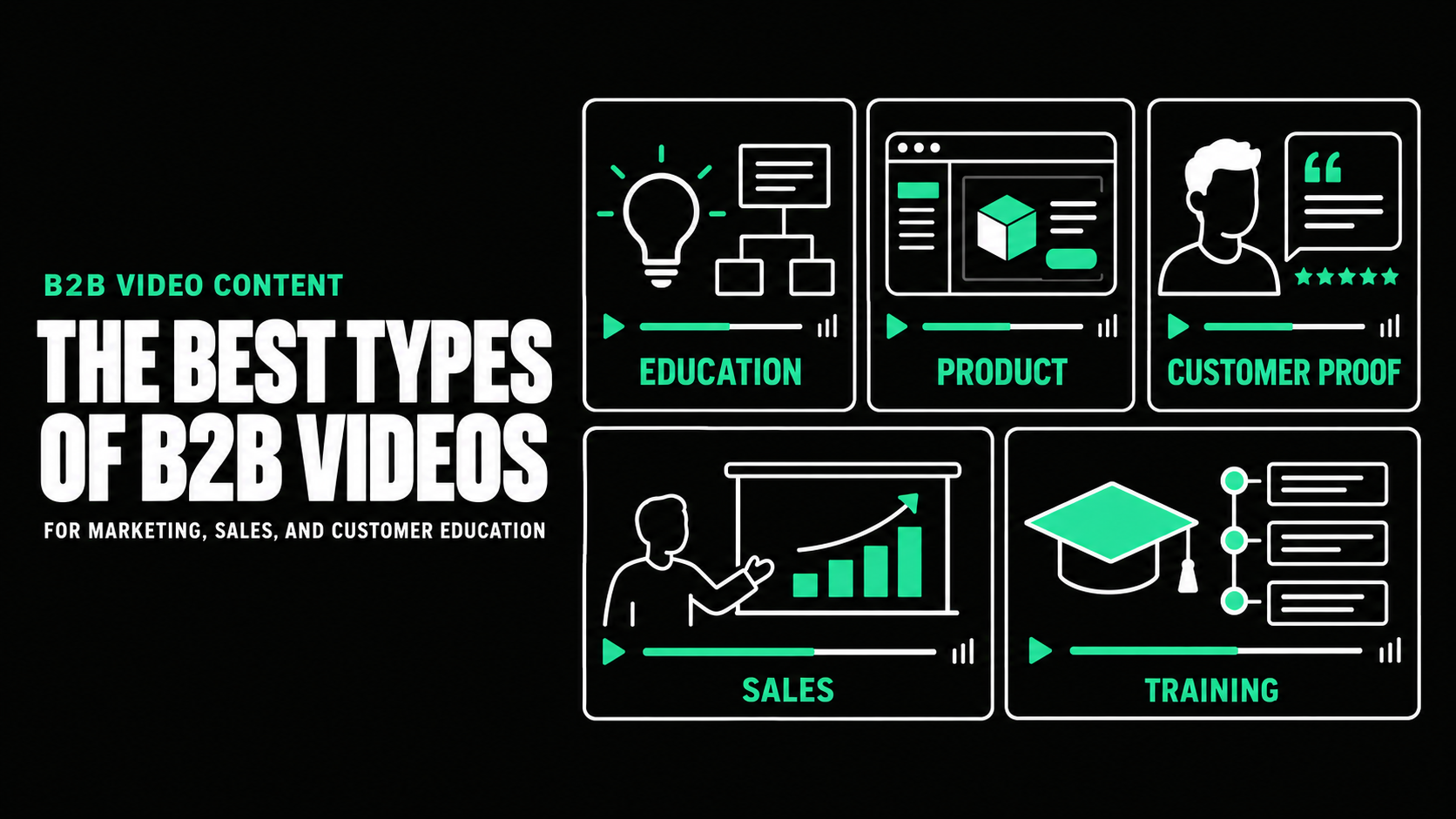
How to Write a B2B Video Script That Holds Attention

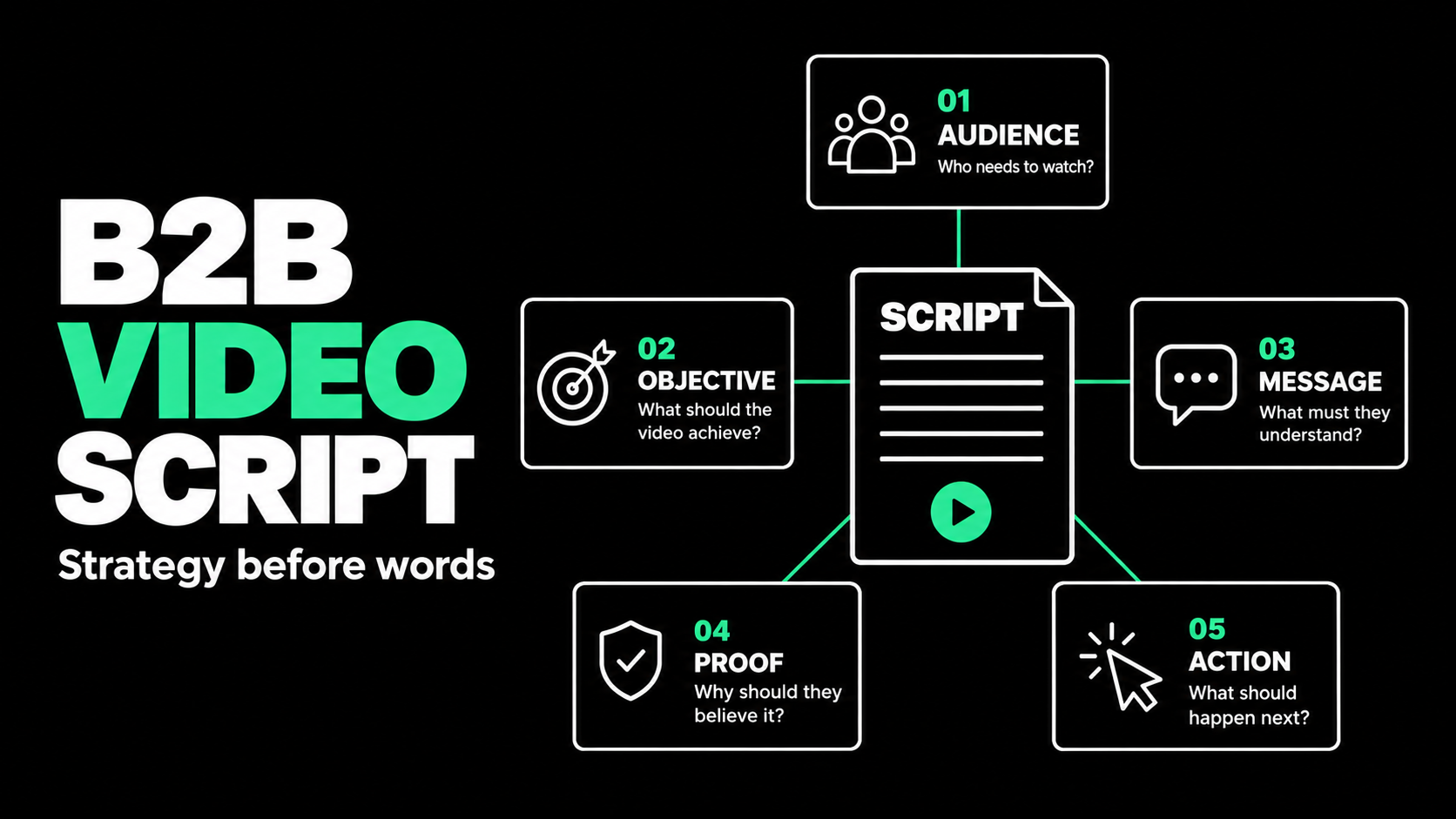
How to Write a B2B Video Script That Drives Action
A strong B2B video script gives one audience a clear reason to keep watching and take one useful next step. It does not try to fit an entire website, sales presentation, and product demo into two minutes. It selects the most important buyer problem, explains a credible path forward, and connects the spoken message to visuals that make the idea easier to understand.
The best way to write one is to define the video's job before writing dialogue. Decide who the viewer is, what they already know, what they need to believe, where they will watch, and what they should do afterward. Then build the script around that change in understanding.
This guide explains how to write a B2B video script that is strategically sound, natural to hear, and practical to produce.
Start With the Business Job, Not the Opening Line
Many weak scripts begin with a blank document and a request to make the company sound impressive. That usually leads to broad claims, long introductions, and a list of capabilities that could belong to almost any competitor.
Start with a short creative brief instead. The brief should name the audience, objective, buyer stage, placement, desired action, and one central message. A homepage explainer for buyers who are new to the category needs a different script from a product demo sent to a technical committee after a sales call.
For example, “Create awareness for our platform” is too broad. A stronger objective is: “Help operations leaders at midmarket logistics companies understand how the platform identifies shipment exceptions early, then encourage them to book a demo.” That statement gives the writer a buyer, a problem, a product role, and an action.
Distribution matters too. A conference video may need to work without sound, while a paid social video has to earn attention immediately. Placement affects the opening, detail, format, and call to action.
Choose One Audience and One Core Message
B2B buying groups contain people with different priorities. An executive may care about commercial risk, while product and IT reviewers want workflow, integration, or security detail. One short video rarely serves everyone equally well.
Choose a primary viewer. Write down their current situation, main concern, likely skepticism, and valued outcome.
Next, complete this sentence:
For [specific audience], this video will show that [central idea], so they feel ready to [next action].
If the sentence contains several audiences, three product promises, and multiple actions, narrow it. Focus is not a creative limitation. It is what allows the message to become memorable.
Build the Story Around a Change
A corporate video script often follows the company's preferred order: history, mission, services, features, and contact details. Buyers do not necessarily process information in that order. They are trying to decide whether the subject is relevant, whether the proposed approach makes sense, and whether they should trust the company behind it.
A useful B2B structure moves through five beats:
- Situation: Establish a recognizable moment or business context.
- Tension: Show what makes the current approach costly, slow, risky, or difficult.
- Better approach: Introduce a clearer way to solve the problem.
- Proof: Make the promise credible through a workflow, demonstration, evidence, or customer perspective.
- Action: Give the viewer one logical next step.
This is not a rigid formula. A customer story may begin with the outcome before returning to the original challenge. A product launch may open with the new capability. The important point is that the video creates movement. By the end, the viewer should understand something useful that was not clear at the start.

Write for the Ear, Not the Page
Spoken language needs more space than written language. Long sentences, stacked clauses, and strings of technical terms may look professional in a document but sound difficult in a voice-over.
Use direct sentences and familiar words. Read every section aloud while drafting. If you run out of breath, lose the meaning, or naturally replace a phrase, revise it. Contractions often make narration sound more human. Specific verbs are usually stronger than abstract nouns.
Compare these two versions:
Written for a brochure: “Our comprehensive platform facilitates the optimization of cross-functional operational processes.”
Written for a person: “Your operations team can spot delays, assign the next step, and keep every department working from the same information.”
The second version is longer, but it is easier to picture. It replaces an unsupported claim with concrete activity.
Avoid a formal welcome, company history, or “We are proud to introduce.” Start with a costly problem, revealing question, meaningful result, or clear value statement. Create relevance rather than manufactured drama.
Separate What the Viewer Hears From What They See
A video script is not only a voice-over document. It is a production plan. Use two columns so the audio and visual ideas can develop together.
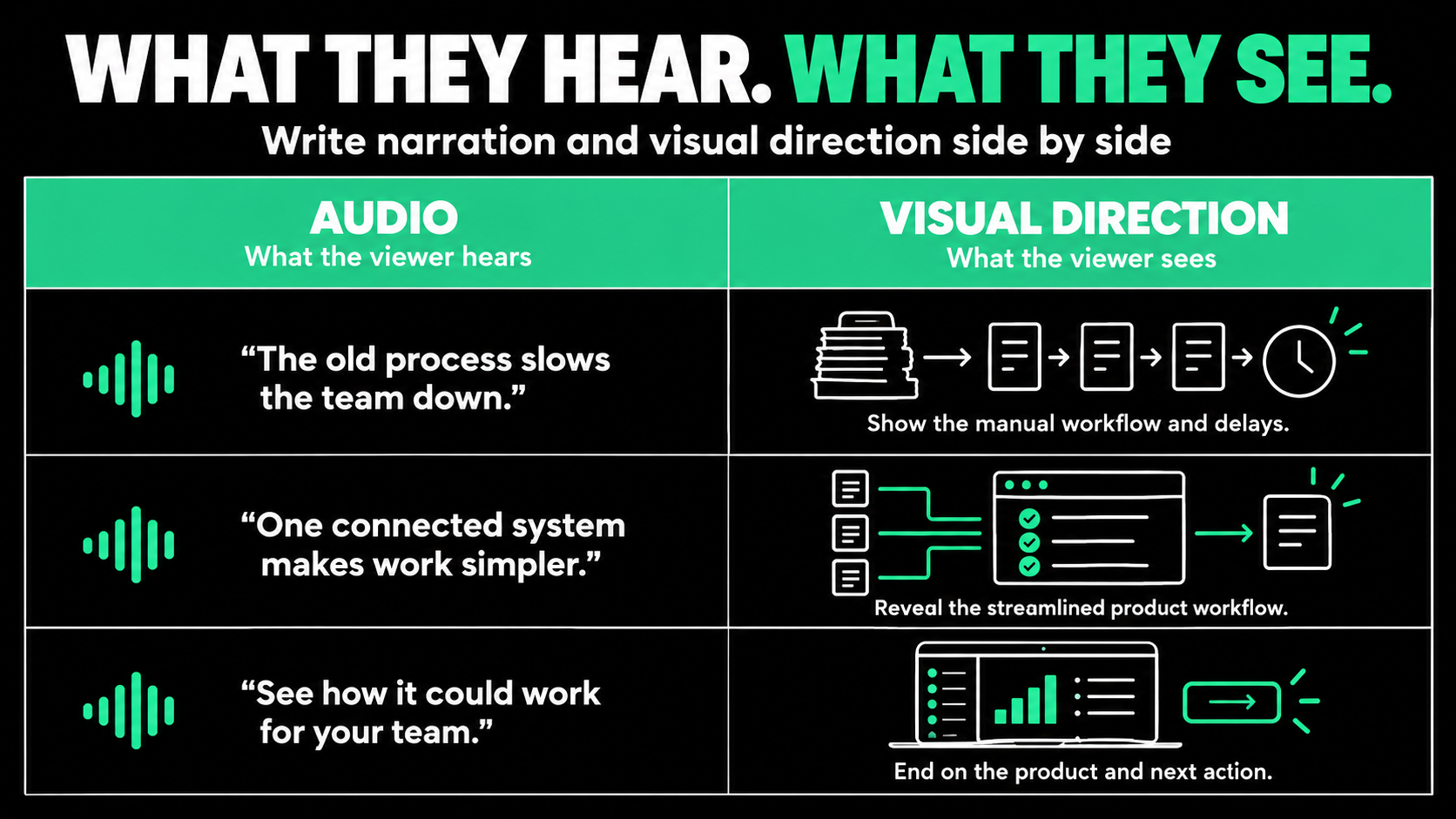
Do not make the narration describe every visible click. If the screen clearly shows a user assigning a task, the audio can explain why that action matters. The visual provides evidence while the narration adds meaning.
On-screen text should highlight essential labels, numbers, or conclusions, not duplicate every sentence. Writing the visual column early also exposes production problems and lets the team simplify difficult scenes before filming or animation.
Use This B2B Video Script Template
This B2B video script template works for a short explainer, product overview, campaign video, or sales asset. Adjust it to fit the audience and format.
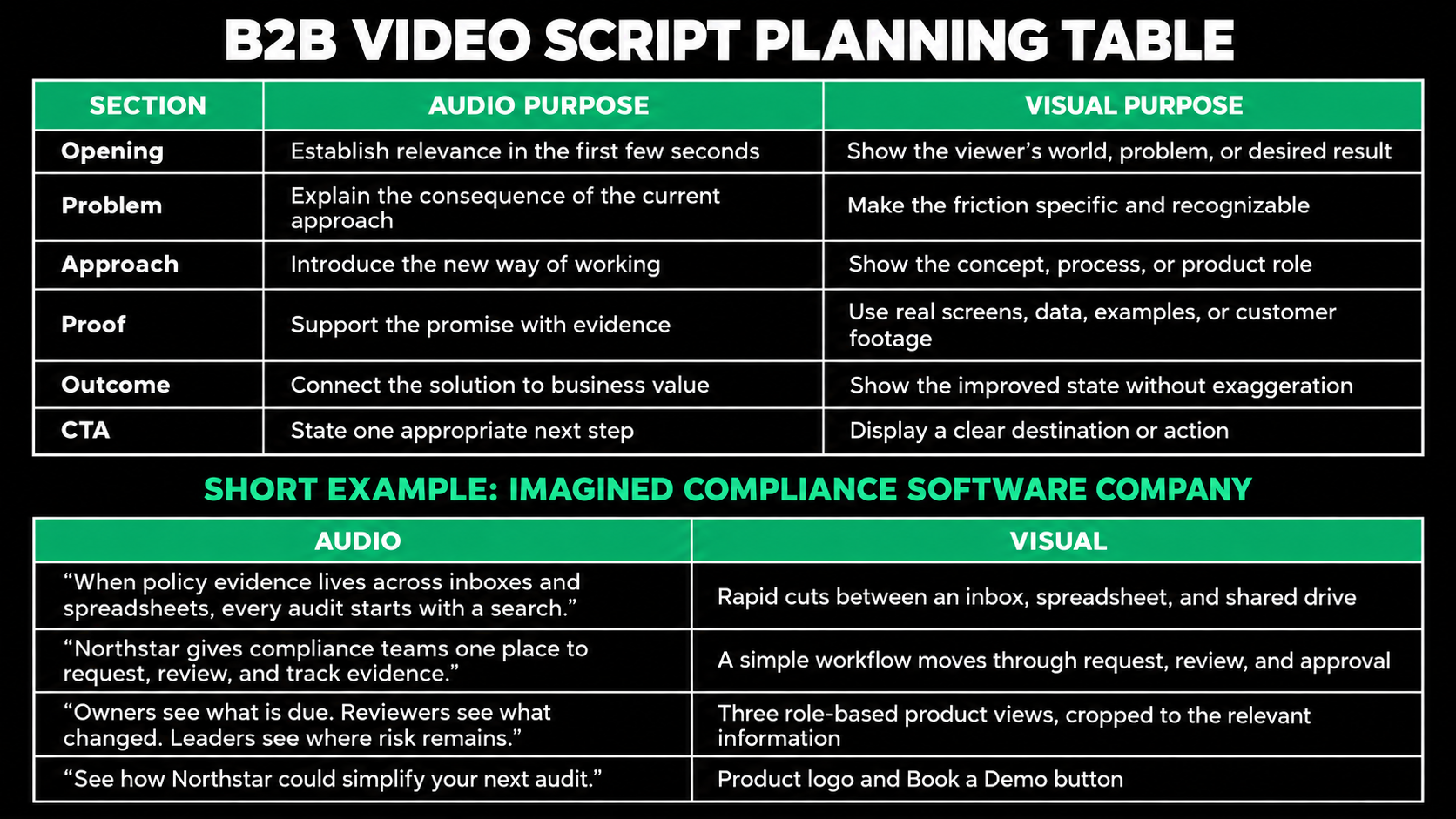
The example does not explain every feature. It gives a defined audience enough clarity to consider the next step.
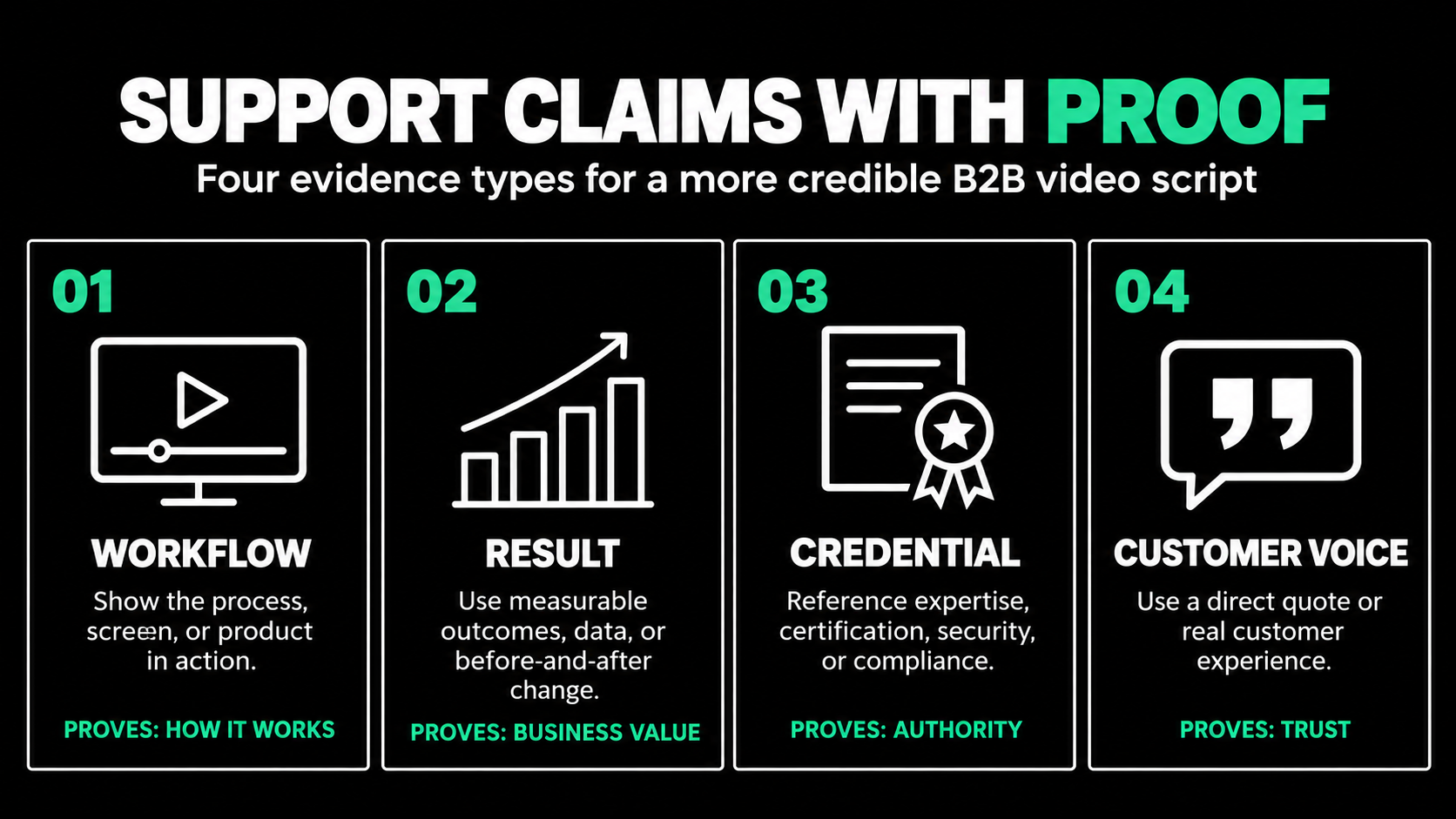
Support Claims With the Right Kind of Proof
B2B buyers question polished language. Claims such as “seamless,” “powerful,” and “industry-leading” add little unless the script shows what makes them true.
Proof may be a real workflow, approved customer outcome, recognizable use case, technical explanation, credential, or informed interview. Choose evidence that answers the viewer's likely objection.
If the concern is usability, show the workflow. If it is implementation risk, explain the rollout or integration. If it is business impact, use an approved and properly sourced result. If no credible evidence exists for a claim, narrow or remove it.
Simplification is necessary, but the script should never imply capabilities the product does not have. Subject matter experts should verify accuracy while the marketing owner protects clarity and focus.
Control Length Through Prioritization
Do not begin by forcing a script into an arbitrary runtime. First decide how much explanation the viewer needs. Then remove anything that does not support the central message.
As a planning guide, a measured voice-over often runs around 130 to 150 words per minute, but delivery style, pauses, interviews, and visual breathing room can change the result. Time a read aloud instead of relying only on a word count.
Wistia's 2026 research, based on more than 13 million videos, reinforces that length should match the video's job. Short videos are useful for awareness, while longer formats can support research, explanation, and training. The practical lesson is not “shorter is always better.” It is that every additional minute must earn its place.
When a draft is too long, do not make the narrator speak faster. Remove secondary audiences, repeated benefits, unnecessary setup, and details that belong in another video.
Make Reviews Improve the Script
Reviews become difficult because legal checks risk, product checks accuracy, sales wants objection handling, and executives focus on positioning. The process needs a clear decision structure.
Name one final owner. Ask reviewers to label feedback as factual correction, strategic concern, compliance requirement, or personal preference. Resolve the message and spoken script before approving detailed visual execution.
Give reviewers the brief with the draft. Ask whether each section helps the intended viewer understand the message and take the next step.
After revisions, conduct a table read. Listen for awkward phrases, repeated ideas, unexplained terms, and sudden changes in tone. Time the script and leave room for pauses. A technically accurate script can still fail if the delivery feels rushed.
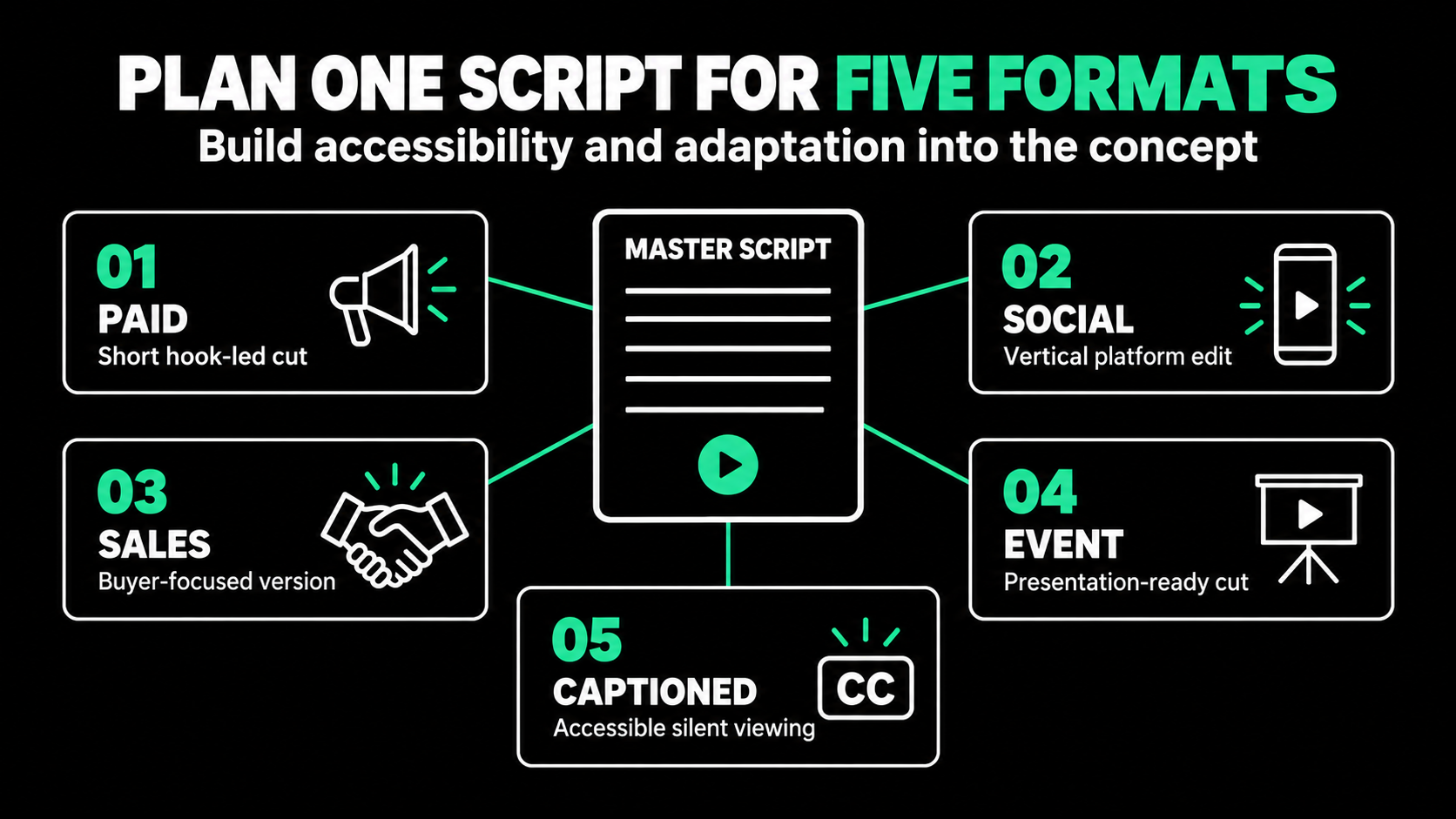
Plan Accessibility and Repurposing Before Production
Captions should be part of the script workflow, not an afterthought. The W3C advises that captions include speech and the meaningful non-speech audio needed to understand the content. Automatic captions should be reviewed for accuracy, especially when a video contains company names, technical language, or acronyms.
Decide on alternate versions before production. A two-minute video might yield a paid cut, feature clips, a vertical version, a silent event edit, a sales segment, and campaign stills.
Planned repurposing affects the script. The team may need self-contained answers, alternate openings, clean pauses for editing, or several calls to action. These decisions are cheaper to make on the page than after production.
A Strong Script Makes Production Easier
Learning how to write a B2B video script is less about finding clever words and more about making sound strategic choices. Define the audience and business objective, build the story around a change, write for spoken delivery, connect audio with visuals, and support important claims with proof.
A focused script gives the production team and stakeholders the same plan. It reduces avoidable revisions while protecting the message the viewer needs.
The finished video does not need to say everything about the company. It needs to make one important idea clear, credible, and worth acting on.
Need a B2B video script that turns a complex offer into a clear, producible story? Spacebar Visuals helps B2B teams connect video strategy, scripting, production, and distribution to a specific business goal.
Book a video strategy call to discuss your audience, message, video format, and campaign plan.
Let’s build your product story together


View Related Resources
B2B Video Marketing Strategy: How to Plan for 2027

Video Content Repurposing for B2B Marketing