The Best Types of Videos for B2B Marketing

The Best Types of B2B Videos for Every Buyer Stage
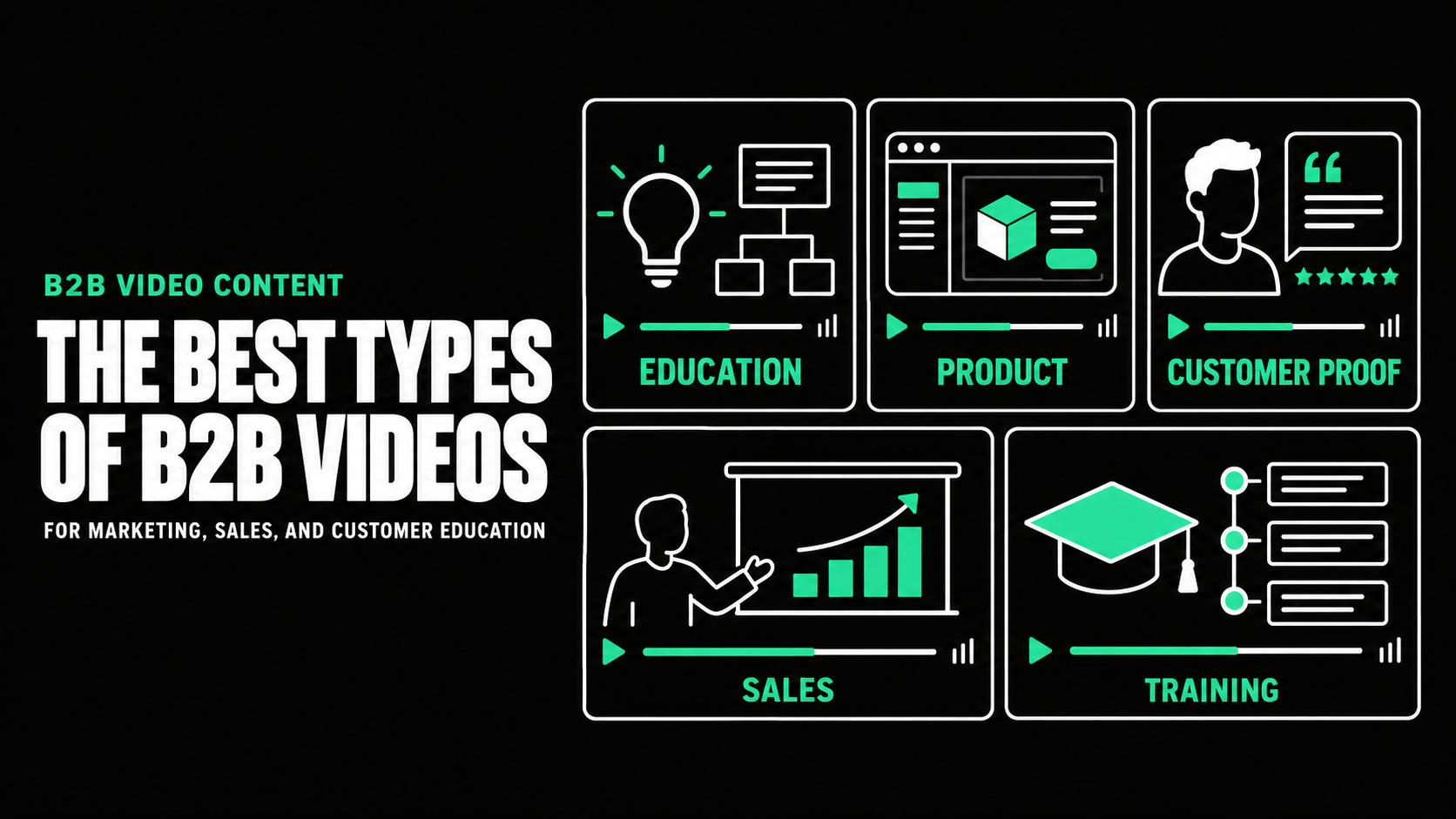
The best types of B2B videos are educational videos, brand stories, product explainers, use-case videos, webinars, customer stories, product demos, sales enablement videos, and customer education content. The right choice depends on what the audience needs to understand, believe, or do at a specific stage of the buyer journey.
A product demo is useful when a qualified buyer wants to evaluate a workflow. It is less useful as a first introduction to someone who does not yet understand the problem. In the same way, a short awareness video may generate interest but will not provide the proof needed by a buying committee.
The goal is to choose the smallest set that supports your objectives, priority audiences, channels, and sales process.
Why B2B Companies Need More Than One Video Type
B2B purchases rarely happen after one interaction. Buyers move through research, internal discussions, product evaluation, sales conversations, and approval.

One general company video cannot handle every question. It becomes too broad for product education, paid media, or specific sales objections.
A stronger approach gives each video one primary job:
- Earn attention
- Explain a problem
- Show how the product works
- Build trust
- Provide customer proof
- Reduce perceived risk
- Help customers succeed
LinkedIn’s 2025 B2B Marketing Benchmark found that 78% of B2B marketers used video and 56% planned to increase its use. Respondents applied it across the funnel. LinkedIn B2B video research linkedin.com
The important lesson is not simply that companies are producing more video. Effective programs use different formats for different business jobs.
Top-of-Funnel B2B Video Types
At the top of the funnel, the audience may know the problem but not your company. These videos should create relevance quickly and give viewers a reason to continue.
1. Educational videos
Educational videos answer useful questions. They can explain a market change, break down a difficult concept, or help viewers recognize a problem.
Examples include:
- Why manual reconciliation creates reporting risk
- What procurement teams should know about software renewals
- How AI evaluation differs from traditional software testing
This format works well in search, social media, newsletters, blog posts, and thought leadership.
Wistia’s 2026 research found that educational videos were among the most common formats businesses created, alongside social videos, product videos, and webinars. Wistia State of Video Report Wistia
2. Short social videos
Short social videos introduce one idea, observation, or proof point. They may feature an expert, animation, event footage, or a concise product moment.
The strongest clips are complete ideas, not random fragments. They should make sense without the original source.
Use these videos to test messages, extend a campaign, promote longer content, or keep subject-matter experts visible between major launches.
3. Brand and category videos
A brand video explains what the company stands for. A category video defines a problem or approach the market may not recognize.
These videos are useful when a company is entering a market, repositioning, launching a new category, or competing against familiar alternatives.
Avoid turning the video into a company timeline. Focus on the change happening in the buyer’s world, the company’s point of view, and what that means for the audience.
Middle-of-Funnel B2B Video Types
Middle-of-funnel viewers are deciding whether your approach could fit their needs. They need clarity, differentiation, and enough substance to continue evaluating.
4. Product overview videos
A product overview explains who the product helps, what problem it solves, how it works, and why it matters.
It should not attempt to demonstrate every feature. A strong overview creates a clear mental model and directs the viewer toward a demo, trial, or deeper product content.
Use it on product pages, campaign landing pages, sales presentations, event booths, and follow-up emails.
5. Animated explainer videos
Animation is useful when the product, service, or process is difficult to film. It can show data movement, integrations, infrastructure, workflows, and abstract concepts.
A cybersecurity company might use animation to show an attack moving through a system and where the product intervenes.
Choose animation because it improves understanding, not because the team wants the video to appear modern.
6. Use-case videos
Use-case videos show how a specific audience applies the product to a specific problem. They are often more useful than one broad product video because they reflect the buyer’s role and priorities.
A platform used by finance and operations teams may need separate videos because their problems, language, and desired outcomes differ.
Use-case videos work well on industry pages, account-based campaigns, sales follow-ups, and product marketing programs.
7. Webinars and expert discussions
Webinars give companies room to explore complex subjects, answer questions, and demonstrate expertise. They are suitable for buyers who are willing to invest more time in learning.
A planned webinar can also produce an on-demand recording, expert clips, sales excerpts, blog content, emails, and social posts.
Avoid building the session around a long presentation followed by a rushed question period. Focus on one useful topic, bring in genuine expertise, and plan the reusable sections before recording.
Bottom-of-Funnel B2B Video Types
Late-stage buyers need evidence that the product will work, the company can deliver, and the purchase risk is manageable.
8. Customer testimonial and case study videos
Customer videos provide proof through a person who has experienced the problem and the solution.
Strong stories cover the situation before purchase, the decision, implementation, and what changed. Avoid scripting praise.
If approved results are unavailable, focus on the decision process, experience, workflow, and practical value. Never invent metrics to make the story feel stronger.
9. Product demo videos
A product demo shows how the product completes a meaningful task. It may be a short feature demonstration or a detailed walkthrough for technical evaluators.
Structure the demonstration around a real use case rather than the product menu. Show the starting problem, the key actions, and the result.
A recorded demo can prepare buyers for a meeting, help absent stakeholders catch up, and give sales a consistent explanation.
10. Sales enablement videos
Sales enablement videos help representatives answer recurring questions and move opportunities forward. They may cover implementation, integration, security, pricing structure, methodology, or a common objection.
These videos may have small audiences but high value. Ten viewers inside active target accounts may matter more than thousands of unrelated views.
Keep each asset focused so sales can send the relevant answer without asking a buyer to search through a long presentation.
11. Personalized sales videos
Personalized videos are recorded for a specific person, account, or opportunity. A representative might introduce a proposal, explain a relevant workflow, or summarize the next step after a meeting.
Personalization should add substance by addressing the buyer’s situation, product need, or real question.
Simply saying the person’s name before delivering a generic pitch adds little value.
Customer-Stage B2B Video Types
Video should not stop when the contract is signed. Customer content can improve adoption, reduce repeated explanations, and make product knowledge easier to access.
12. Onboarding and training videos
Onboarding videos guide customers through the first actions required to receive value. Training videos explain workflows, roles, features, or processes in greater detail.
Break complex onboarding into short modules organized around what users must accomplish.
13. Feature education and release videos
Feature videos explain what changed, why it matters, and how customers can use it. They are useful for product announcements, customer newsletters, in-app education, and account management.
A release video should do more than list updates. Connect the feature to a customer problem and show the practical workflow.
14. Support videos
Support videos answer repeated questions that benefit from visual demonstration. They can reduce confusion when written instructions are difficult to follow.
Use support video for tasks involving sequence, movement, navigation, or physical setup. Keep written steps available for scanning and accessibility.
How to Choose the Right B2B Video Type
Before selecting a format, answer five questions.
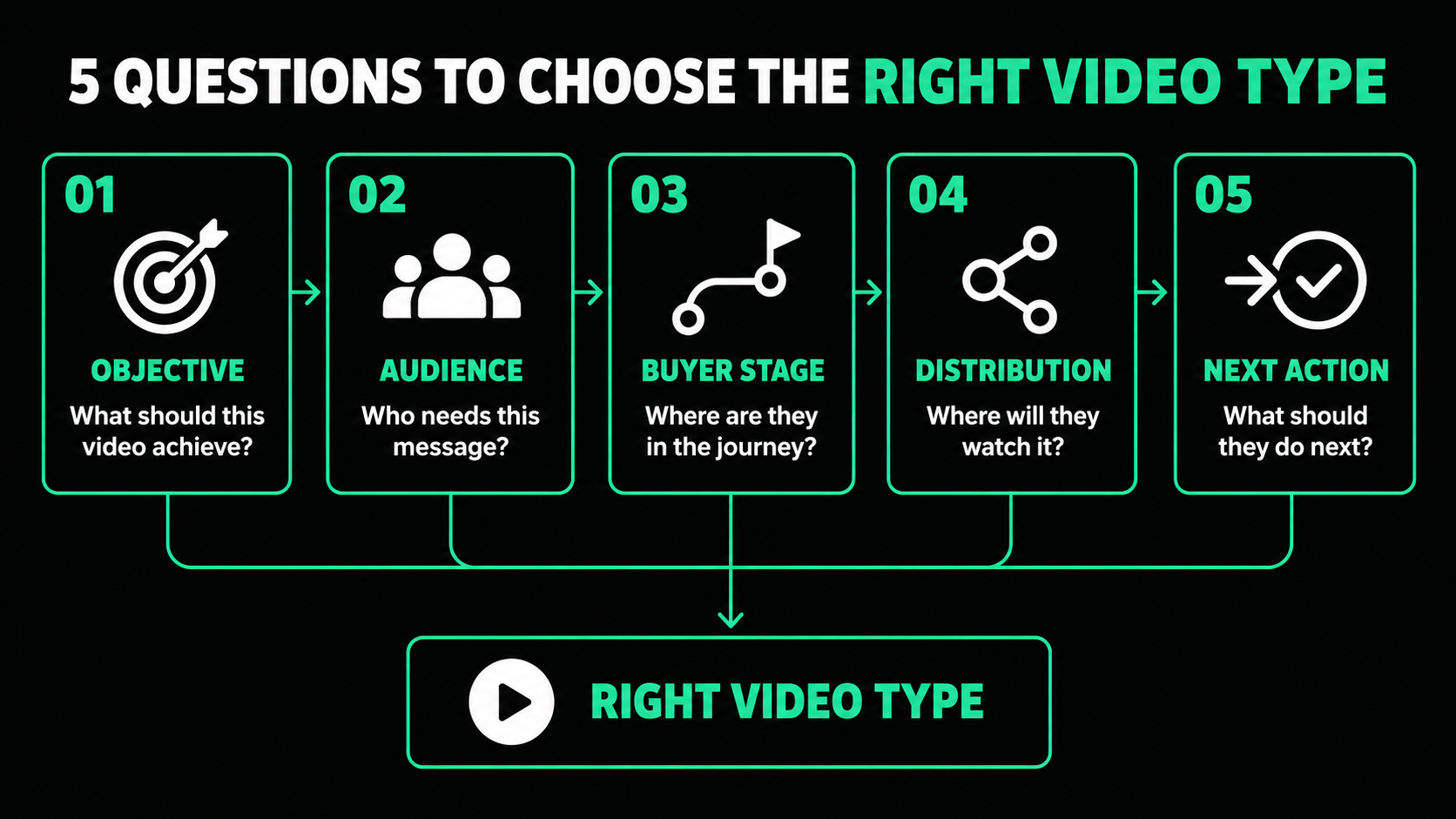
What is the business objective?
Decide whether the video should create awareness, generate demand, explain a product, support sales, educate customers, or accomplish another defined job.
Who is the primary viewer?
A decision-maker, technical evaluator, daily user, and customer need different information. Choose one primary audience.
What does the viewer need at this stage?
Top-of-funnel audiences need relevance. Middle-of-funnel audiences need clarity. Bottom-of-funnel audiences need proof and risk reduction. Customers need useful instruction.
Where will the video be distributed?
Distribution affects runtime, opening, aspect ratio, captions, and call to action.
What action should follow?
The viewer might read a guide, explore a product page, register for an event, book a meeting, start a trial, or complete an onboarding task. Give the video one clear next step.
Match Production Style to the Message
After choosing the video’s job, select the production approach.

Production style and video type are not the same. Choose the style that communicates the idea most clearly.
Plan One Concept for Multiple Channels
One strong concept can often create a connected set of assets.
A customer interview might become:
- A two-minute case study
- Three short proof-point clips
- A vertical social edit
- A sales presentation excerpt
- An event-screen version
- A written customer story
- Still images and quote cards
Plan these versions before filming. The team may need shorter answers, vertical framing, clean pauses, alternate openings, and several calls to action.
Each repurposed edit should fit its channel and the audience’s level of intent.

Build the Video Library Around Buyer Needs
The best B2B marketing video types are not necessarily the formats receiving the most attention. They are the formats that address an important buyer question and support a real marketing, sales, or customer objective.
Start by identifying gaps:
- Does the market understand the problem?
- Can prospects explain what the product does?
- Does sales have credible proof?
- Are buyers worried about implementation?
- Do customers need clearer training?
Produce the videos that answer those questions first. Then plan channel-specific versions so every strong concept can support more than one placement.
A useful B2B video library is not defined by size. It is defined by coverage, relevance, and whether each asset helps the audience take the next appropriate step.
Not sure which video types belong in your marketing and sales plan?
Spacebar Visuals helps B2B companies identify the right concepts, connect them to the buyer journey, and produce useful assets for product marketing, demand generation, sales enablement, customer education, events, and brand awareness.
Book a video strategy call to discuss your audience, content gaps, distribution plan, and production priorities.
Let’s build your product story together


View Related Resources