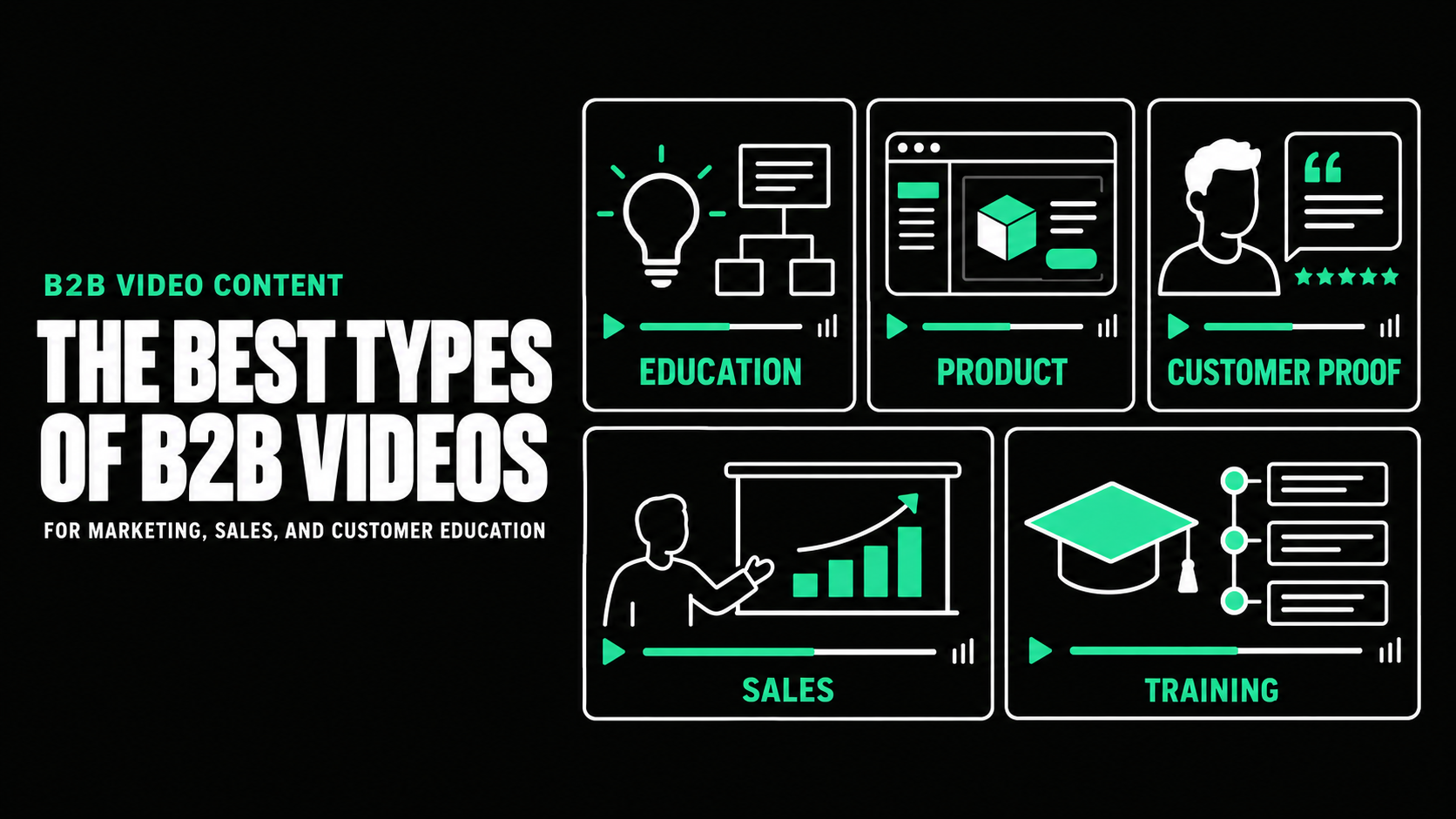
Video Content Repurposing for B2B Marketing


Video Content Repurposing: How to Turn One B2B Video Into a Campaign
Video content repurposing means adapting one core video into multiple assets, each designed for a specific audience, channel, and stage of the buyer journey. A customer interview might become a website case study, three social clips, a paid ad, a sales follow-up video, an event edit, written quotes, and still images.
The goal is not to publish the same file everywhere. It is to preserve the strongest idea while changing the opening, length, format, proof, and call to action for each use.
For B2B teams with limited time and production capacity, this approach can extend the useful life of a shoot and create a more connected campaign. It works best when repurposing is planned before the script is approved and the cameras start rolling.
Repurposing Is More Than Cutting a Long Video Into Clips
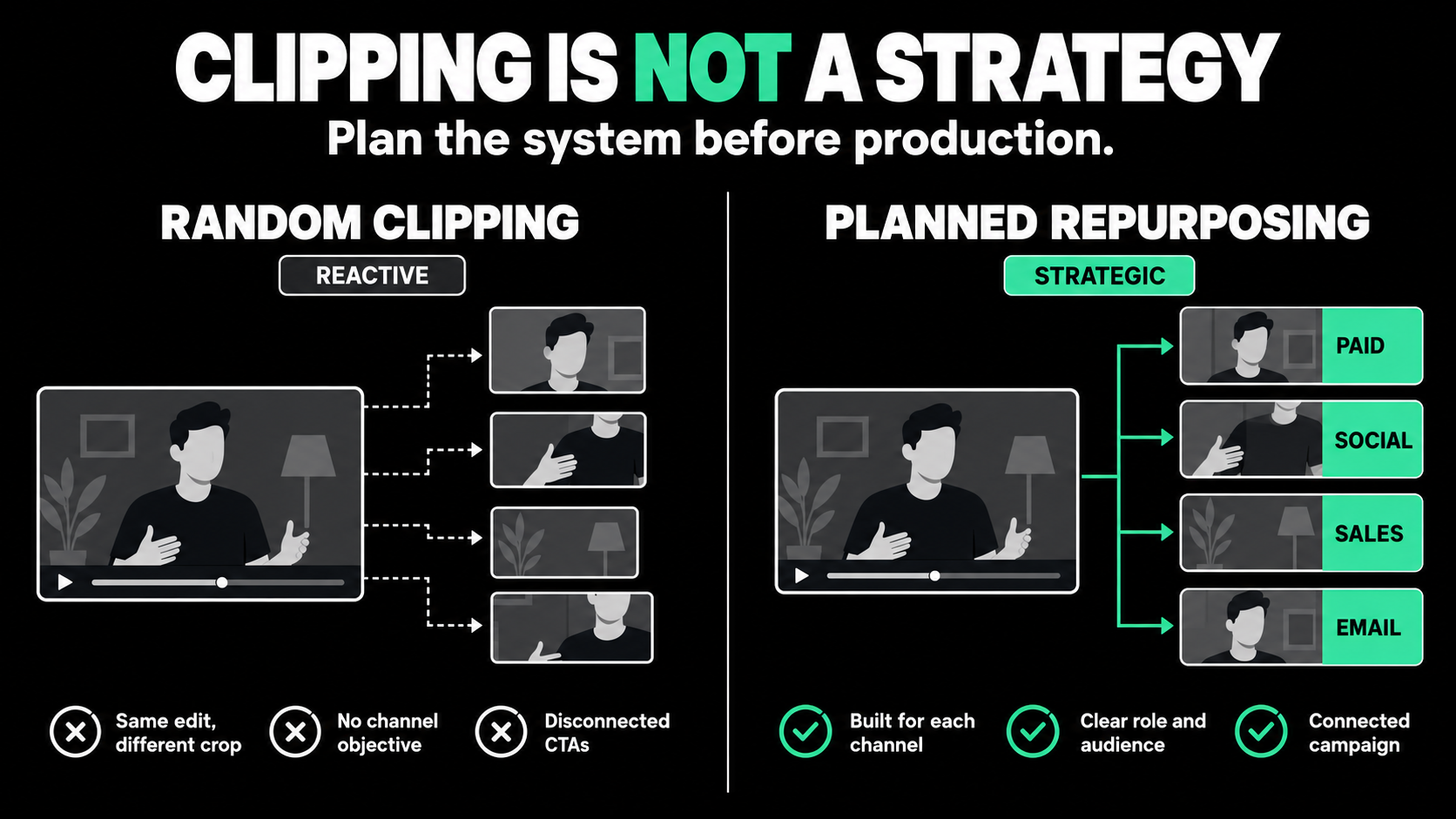
Many teams treat repurposing as an editing task. Once the main video is finished, someone is asked to find a few moments for social media. That may produce usable clips, but rarely a strong campaign.
A short extract is not automatically complete. It may depend on missing context, begin with a weak transition, end without a useful next step, or become awkward when cropped vertically.
A stronger video repurposing strategy begins with the campaign. Define the audiences, what each should learn, the channels, and the right action for each placement. Production can then capture supporting material.
This distinction matters. Cutting creates smaller files. Repurposing creates assets with their own purpose.
Start With One Strong Source Asset
Not every video is equally useful as source material. The best starting point usually contains a clear central idea, several self-contained sections, credible proof, and enough visual variety to support multiple edits.
A customer story can supply problem, decision, outcome, and advice clips. A product overview can produce awareness edits, use-case clips, demonstrations, and sales content. A webinar or interview may support educational clips, articles, emails, and presentations.
Before production, define the job of the main video in one sentence. For example:
Help operations leaders understand how the platform reduces manual exception handling, then encourage qualified viewers to request a demonstration.
That statement protects the core story. Additional assets may emphasize different details, but they should support the same market position. A focused source asset gives editors more useful material than a broad video filled with general claims.
Map the Video Across the Buyer Journey
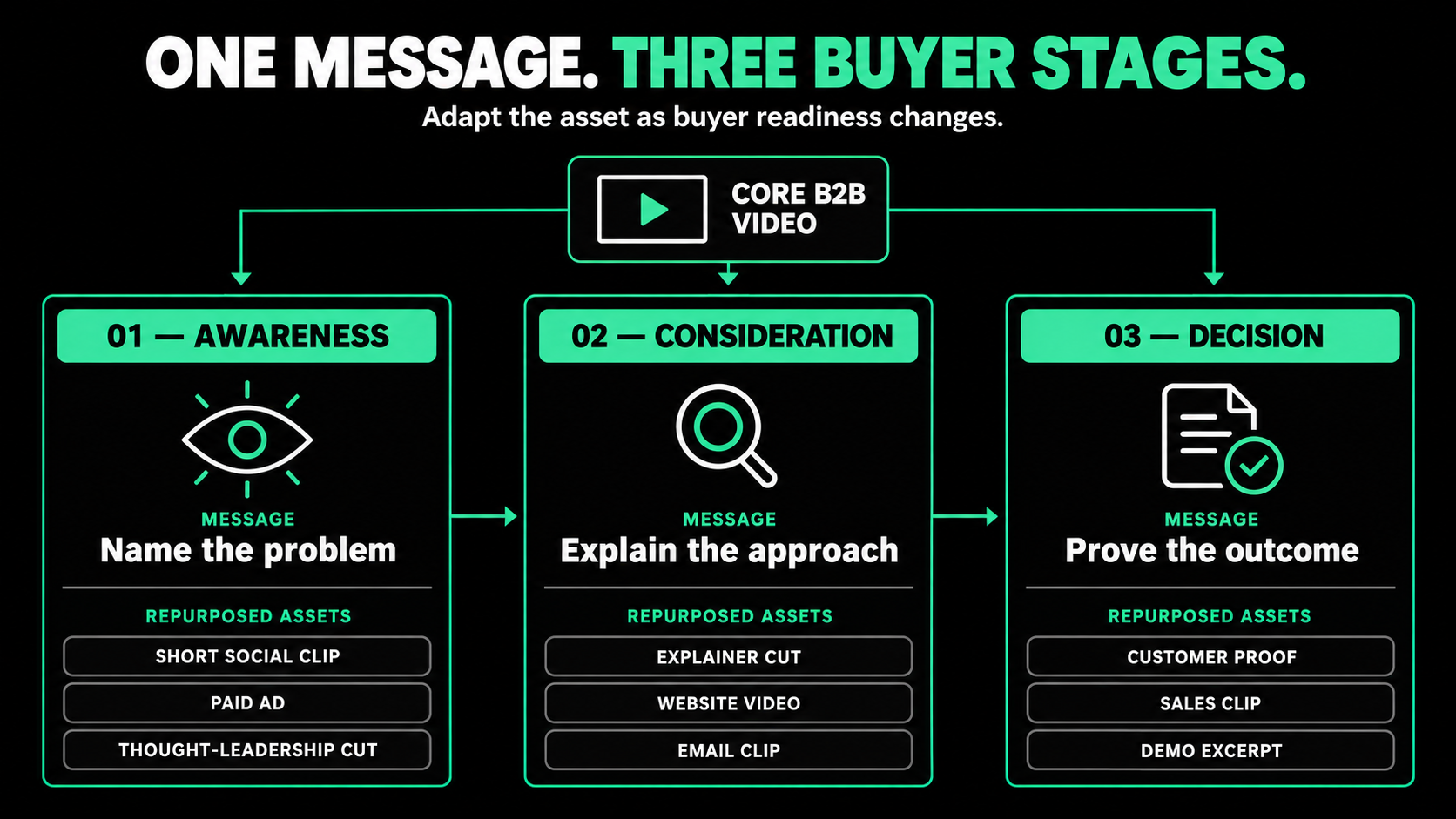
The same idea should not appear in the same way at every stage. A buyer discovering the problem needs a different level of detail from someone comparing vendors or preparing an internal business case.
At the awareness stage, use a surprising problem, recognizable frustration, or short expert insight. The purpose is to earn attention and create relevance. A 15- to 30-second social edit may introduce the issue without explaining the entire solution.
At the consideration stage, a use-case video, customer story, product overview, or educational excerpt can explain how the approach works and why it differs.
Near a decision, repurposed assets should reduce risk. A product workflow, implementation explanation, security answer, customer proof point, or role-specific clip can help sales teams address the questions that slow an opportunity.
After purchase, the same production can support onboarding, feature education, and customer communication.
The core topic stays connected, but the buyer's question changes. Good content repurposing answers the question appropriate to that moment.
Build a Repurposing Plan Before Production
Create a simple asset map before scripting. It does not need to predict every post, but it should identify the priority outputs and the material each one requires.
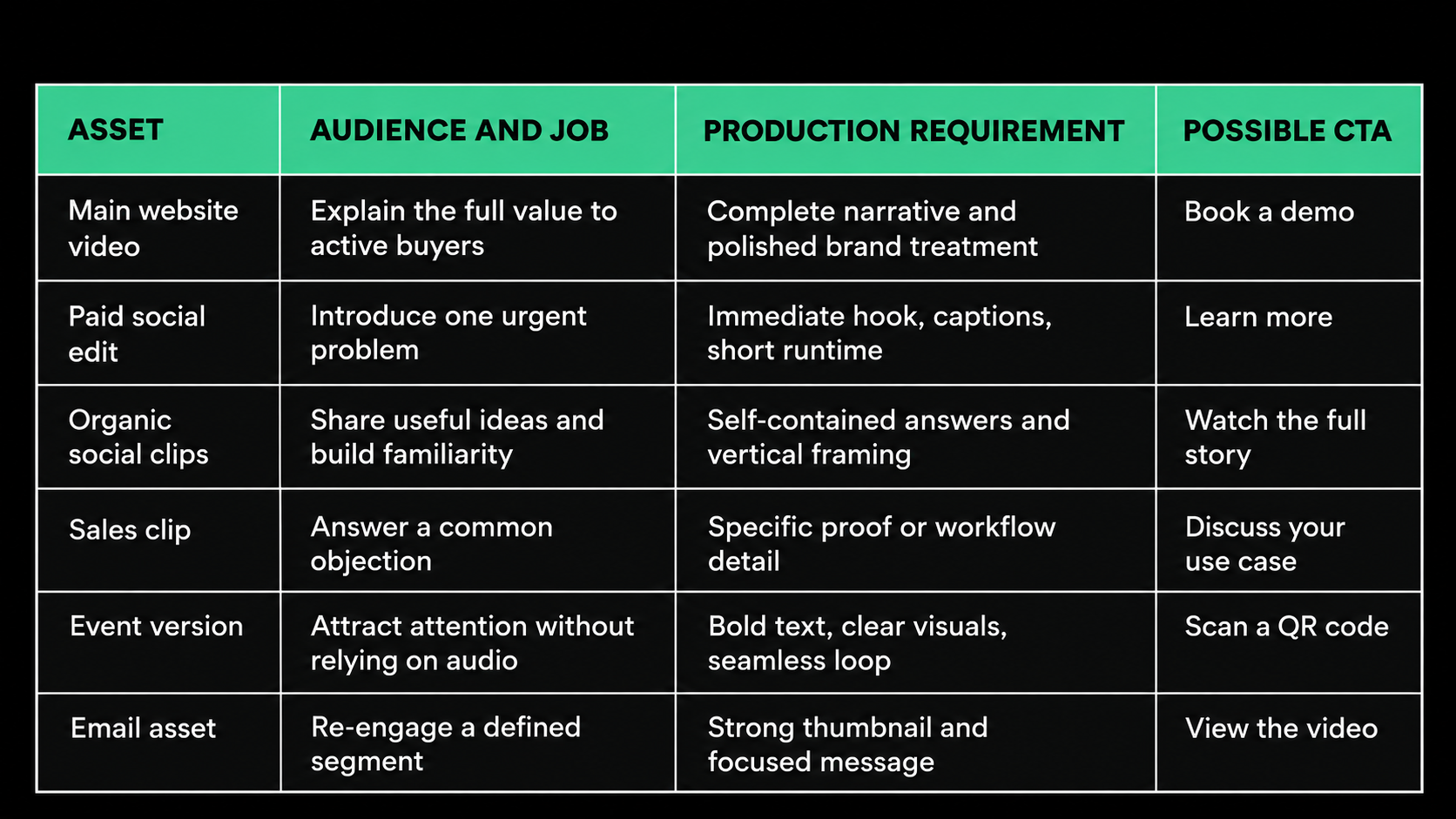
This plan affects the script and shot list. Social clips need concise answers, vertical edits need crop-safe compositions, and silent event versions need strong on-screen text. These choices are easier to make before production.
Capture Modular Content During the Shoot
Modular content can stand on its own without a long introduction. It is one of the most valuable ingredients in video content repurposing.
For interviews, ask questions that encourage self-contained answers. “What changed after your team adopted the platform?” is more useful than “How did that feel?” Ask for examples, comparisons, and practical advice.
Record alternate openings and calls to action. The main video may open with the business challenge, while a paid edit begins with the cost of doing nothing. A website viewer may be asked to book a call, while a social viewer may be directed to the full customer story.
Capture extra product screens, workplace activity, diagrams, reactions, and environmental shots. Leave clean space around important lines so clips separate naturally. High-resolution stills can support thumbnails, social posts, presentations, landing pages, and sales materials.
Adapt the Asset for Each Channel
To repurpose video content effectively, change more than its dimensions. Each channel creates a different viewing situation.
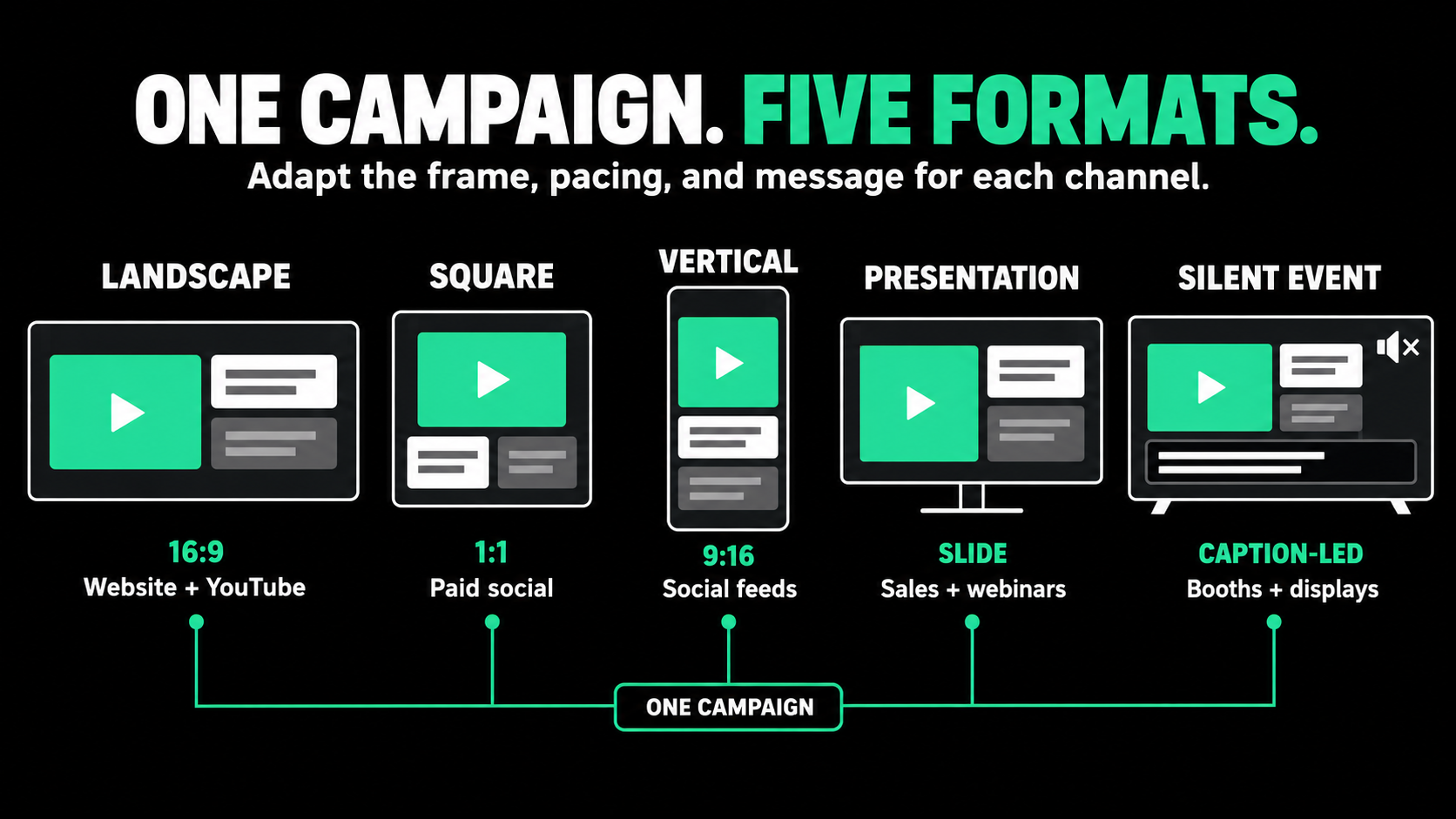
Website and landing pages
Website visitors have chosen to explore, so the edit can provide more context. Place it where it supports a decision. A product page may need an overview, while a case study page can use the full customer narrative.
Organic social media
A social clip must work without the full story. Start with the strongest idea, add accurate captions, and use text selectively. Confirm each platform's current specifications before export rather than assuming one file fits every campaign.
Paid campaigns
Paid edits need a close match between audience, message, and destination. The same footage can emphasize cost, risk, or speed. Test hooks, proof points, and calls to action, not only the accompanying headline.
Sales outreach and presentations
Sales teams need the right 30 to 90 seconds for the current conversation. Label assets by audience, use case, and objection. A clip answering one technical concern may matter more than a high-view social post.
Email and events
Email usually works best with a thumbnail or animated preview linked to a hosted video and landing page. At events, assume some viewers cannot hear the audio. Use readable text, strong visual sequencing, and a clear action such as scanning a QR code.
Turn Video Into Useful Non-Video Assets
Repurposing does not have to stay within video. A strong transcript can become an article, customer story, sales one-pager, executive post, or email sequence. Interview quotes can support designed social cards, while product frames can become annotated screenshots or presentation visuals.
Use editorial judgment. A raw transcript is not a finished article, and a random still is not an effective graphic. Rewrite for reading, remove repetition, verify claims, and add the context each format needs.
One product-leader interview may supply an educational series, checklist, sales answers, and internal training. The value comes from the thinking captured, not only the master edit.
Create a System for Managing Repurposed Assets
A growing content library becomes hard to use if files are named “final,” “final-v2,” and “short-clip.” Create a naming structure that identifies the campaign, audience, topic, format, aspect ratio, and version.
Store transcripts, captions, footage, project files, thumbnails, and exports together. Record publication locations and restrictions involving music, talent, customers, or licensed footage.
Give sales and marketing teams a simple index that explains what each asset is for. A small, searchable collection of relevant videos is more useful than a large folder nobody understands.
Ownership matters as well. Assign someone to manage requests, approvals, distribution, and performance reporting. Without an owner, repurposing often stops after the first few social clips.
Measure Each Asset by Its Own Job
Do not judge every version by views. An awareness clip may be evaluated through reach, watch time, or qualified traffic. A landing-page video may support conversion. A sales clip may have few plays but help advance active opportunities. A customer education edit may be measured through adoption or reduced support demand.
Use consistent tracking links and campaign names where possible. Connect video engagement with website analytics, marketing automation, and CRM activity. This will not prove that one clip caused a complex B2B sale, but it can show which assets attract the right audience and contribute to useful actions.
Wistia's 2026 State of Video research, based on more than 13 million videos and over 900 surveyed professionals, reports that teams use video as source material for clips, emails, and other content. Distribution and reuse should be part of the original investment.
Use performance data to guide the next edit. If one customer answer earns strong engagement from a priority audience, expand it into a deeper asset. If an opening loses viewers quickly, test a more direct version before changing the entire campaign.

Build Repurposing Into the Original Scope
The most efficient time to plan repurposing is before production. Define the main video's job, map priority assets to the buyer journey, capture modular material, and create channel-specific versions with their own openings and actions.
One production should not create an endless stream of repetitive posts. It should create a focused group of assets that helps buyers understand the same valuable idea at different moments.
That is the real value of a video repurposing strategy: more useful communication from one strong concept, not simply more files.
Planning one important video and want it to support more of your marketing? Spacebar Visuals helps B2B teams design the core concept, production plan, and repurposed assets around specific audiences, channels, and business goals.
Book a video strategy call to discuss your campaign and content plan.
Let’s build your product story together


View Related Resources
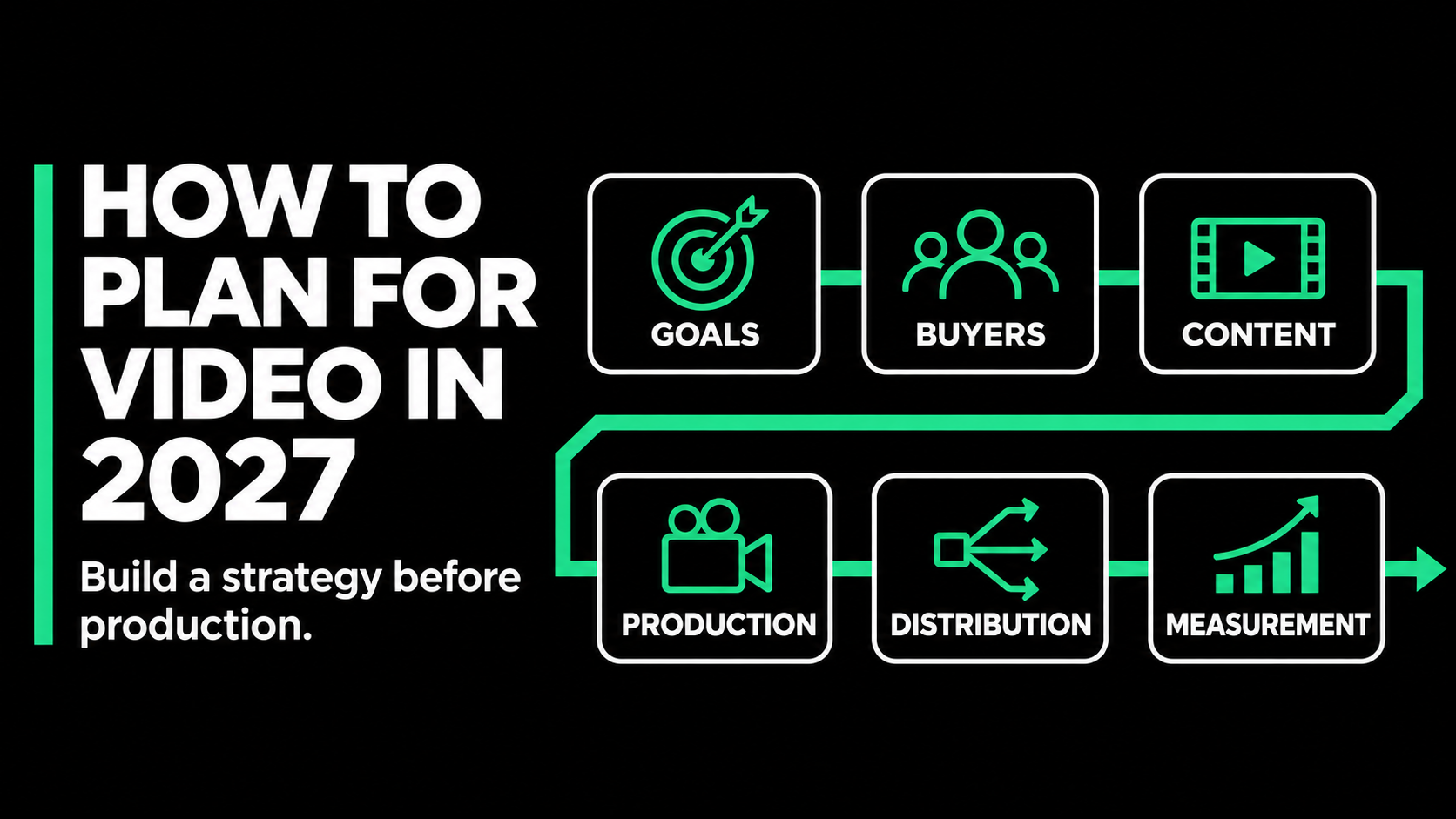
B2B Video Marketing Strategy: How to Plan for 2027
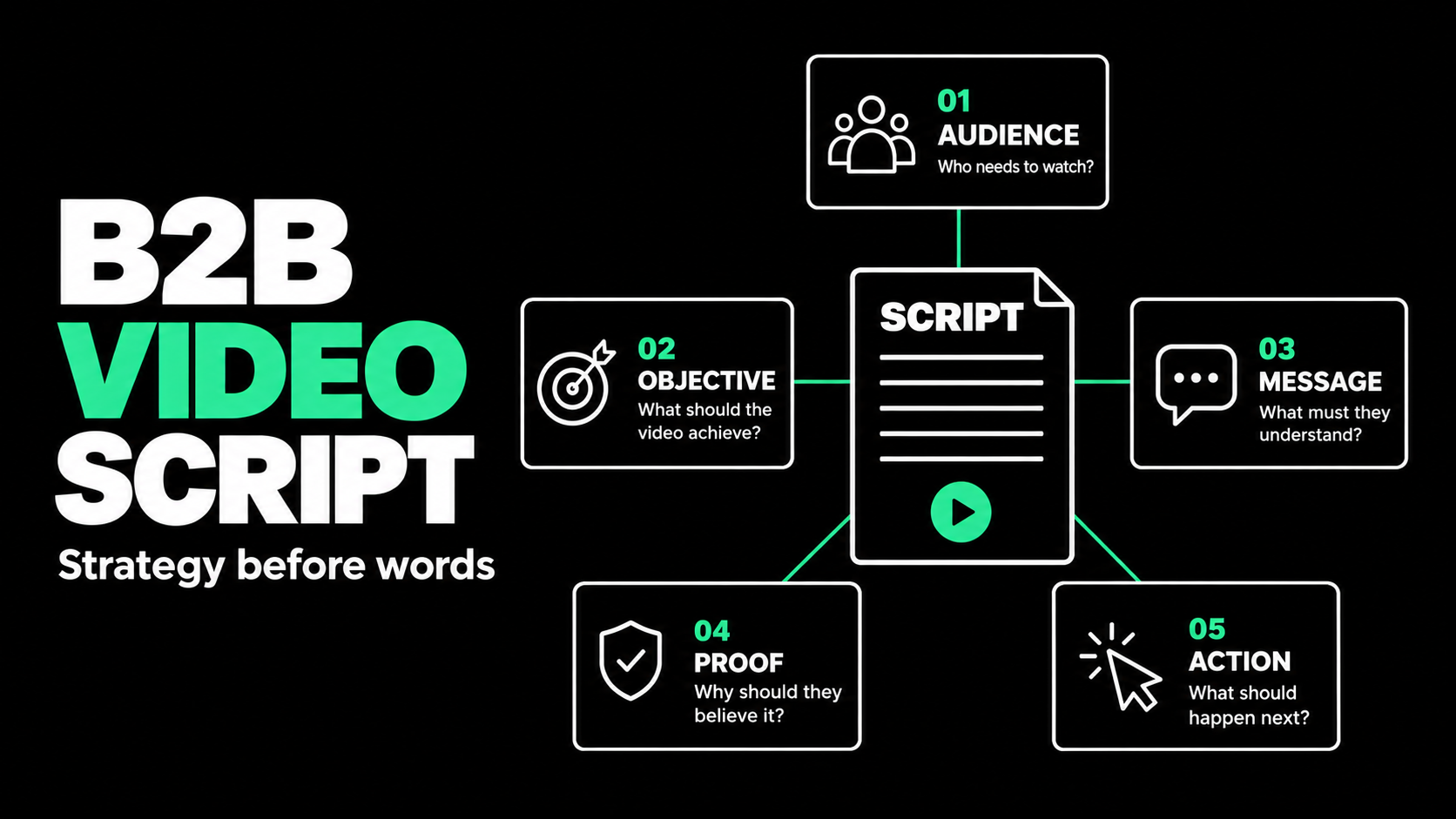
How to Write a B2B Video Script That Holds Attention